

 Hemory Team
On this page
Choosing between ChatGPT and a local AI client is not just a question of which one supports a memory connection. It is also about where you work, how much setup you are comfortable with, and what the connection lets that client access. A public integration listing does not establish identical setup steps or permissions across clients.
TL;DR
- Choose the route that fits where you already do the work: web chat or a local editor or CLI.
- Treat ChatGPT and MCP as separate connection paths unless the current setup documentation confirms otherwise.
- Before connecting, confirm availability, setup requirements, exposed tools, permissions, and access to the Hemory conversations you need.
- If you want the least setup, verify it for your specific account and client rather than assuming one route is easiest for everyone.
The practical difference: chat surface or local client
A ChatGPT connection keeps the task in a ChatGPT conversation, if a Hemory connection is currently available to your account. Hemory describes its ChatGPT connection as a separate integration path; do not assume it uses MCP or that its setup works the same way as a local client.
A local MCP client connects through the Model Context Protocol (MCP), a standard for connecting AI clients to tools and context sources. This route makes sense when you already work in a local editor or command-line interface (CLI) and want the assistant there to use Hemory context. You will need to confirm the setup for that specific client rather than rely on instructions for a different one.
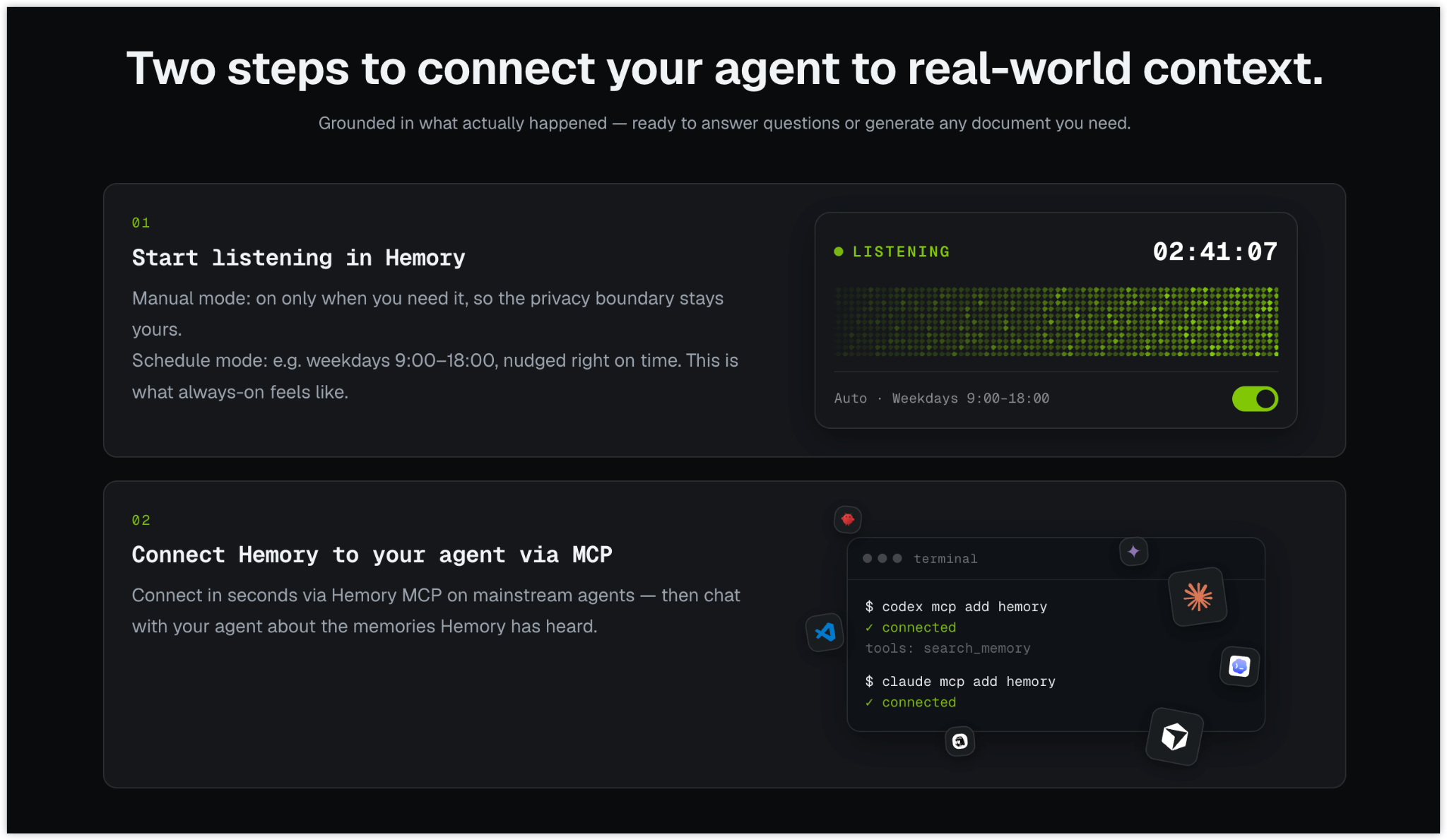
Connect an AI agent to Hemory through MCP.
Hemory’s Features page describes a standard MCP server and names Claude Code, Codex, and Hermes among the agents it has adapted. A public listing is useful evidence that a route is offered, but it is not independent technical verification of every client’s setup, available tools, or behavior. Do not assume details for Cursor or VS Code based on another client’s instructions.
| What to compare | ChatGPT route | Local MCP client route |
|---|---|---|
| Where you work | In ChatGPT, if the connection is currently available in the surface and account you use | In an editor or CLI that supports MCP and has a confirmed Hemory connection path |
| Setup shape | Follow the current Hemory and ChatGPT connection instructions; the precise entry point and steps need confirmation | Configure the Hemory MCP connection according to the particular client’s current instructions |
| What can vary | Availability, account requirements, accessible Memory, and the tools exposed in that ChatGPT connection | Client configuration, authentication, exposed tools, permissions, and accessible Memory |
| Best fit to investigate | You prefer a web chat and want to keep the task there | You already do the relevant work in an editor or CLI and are comfortable setting up a client connection |
This comparison describes what to investigate, not a promise that either route is currently available to every user or behaves the same across accounts and clients.
How to choose a route for your work
Choose ChatGPT if your work already happens there
A ChatGPT route may be the simpler fit if you normally ask questions and develop work in a web chat, and the current Hemory connection is available to you. You avoid moving the task into a local editor just to retrieve conversation context.
Before choosing it, confirm:
- Whether the Hemory connection is currently available in the ChatGPT surface and account you use.
- How the connection is enabled and whether your plan or account has any requirements.
- Which Hemory Memory and tools the connected assistant can access.
- Whether you can use the relevant captured conversations in the task you have in mind.
If any of these details are unclear, do not treat a general announcement or an old setup guide as proof of current availability. The ChatGPT route’s current entry point and setup steps are not established here.
Choose a local MCP client if it already fits your work
A local client may be the better fit when your task belongs in an editor or CLI and you already use a client with a confirmed Hemory connection route. Hemory’s public Features page names Claude Code as an adapted agent. For Cursor, VS Code, or any other client, confirm the current Hemory instructions and the client’s MCP support rather than assuming the setup is identical.
Before connecting, check the specific client’s instructions and determine:
- Where its MCP server configuration belongs and what connection details it requires.
- Which Hemory tools become available after connection.
- What those tools can read or change, and whether the client asks for additional permissions.
- Which captured conversations the client can retrieve for your task.
Do not assume an MCP connection is automatically read-only. Hemory documents Speaker management through MCP, but that does not establish that every Memory can be changed or that the client can take arbitrary actions in other systems. Review the actual tools and permissions shown for your connection.
If you are undecided, compare the routes against one real task
Pick a task that uses a conversation already captured in Hemory—for example, retrieving a customer’s stated requirement while drafting a follow-up. Then check whether each route you can actually access can retrieve the relevant context, what setup and permission steps it requires, and whether the result appears where you want to do the work.

Retrieve past commitments and draft follow-up tasks.
Keep the test focused on your decision. You do not need to prepare a complete archive summary first. Hemory can organize captured conversations and provide Memory for retrieval; the connected assistant uses the accessible context to perform its own reasoning or drafting. You supply current instructions, review the result, and decide what to do with it. Hemory cannot recover a conversation that was never captured or is not accessible through the connection.
The route with the fewest steps for your account and client is the practical choice—not necessarily the one with the shortest marketing description.
Is one route objectively easier?
Not on the available information. The setup path and permissions depend on the current ChatGPT connection, the local client, and the user’s account. If a working ChatGPT connection is already available and your task belongs in web chat, it may involve less friction for you. If you already use a configured MCP client for the work, staying in that environment may be more convenient. Confirm both conditions before deciding.
FAQ
Is the ChatGPT connection an MCP connection?
Do not assume so. Hemory describes ChatGPT as a separate connection path. Confirm the current implementation and setup instructions for the ChatGPT surface you plan to use.
Will ChatGPT and a local MCP client retrieve the same Hemory conversations?
That is not established for every surface and client. Check what the particular connection can access and try it with a relevant conversation that has already been captured.
Is Hemory’s MCP connection read-only?
Do not treat MCP as read-only by default. Hemory documents Speaker management through MCP, but that does not establish broader write access. Inspect the tools and permissions available in your specific client.
Next step
Start with the client where you already do this kind of work. Confirm its current Hemory connection instructions and permissions, then test retrieval against a relevant captured conversation. If the connection is unavailable or does not expose the context you need, compare the other route rather than assuming the clients share the same setup or access.