

 Hemory Team
On this page
A command copied from an MCP guide can fail when pasted into a connector field because the two may be intended for different kinds of clients. That mismatch does not, by itself, show that Hemory is unavailable or broken. First identify what the field expects and which client the instructions were written for.
TL;DR
- A local MCP command is generally meant for a client that can run or configure a local process; it is not interchangeable with a web connector URL or form field.
- Errors such as “invalid URL,” rejected command syntax, or no connection after pasting are clues to check the client path before troubleshooting Hemory.
- Confirm the specific client’s supported connection method and any applicable plan or workspace controls. Do not assume a ChatGPT entry point or setup procedure is available based on instructions for another client.
Why the two connection paths can be confused
“MCP” describes a way for an AI client to access tools and context; it does not mean every client connects in the same way. A local MCP setup command is intended for a client that supports configuring or launching a local server process. A connector field may instead ask for information such as a server URL or connection details. If the field is asking for a URL, shell-command syntax is unlikely to be the right input.
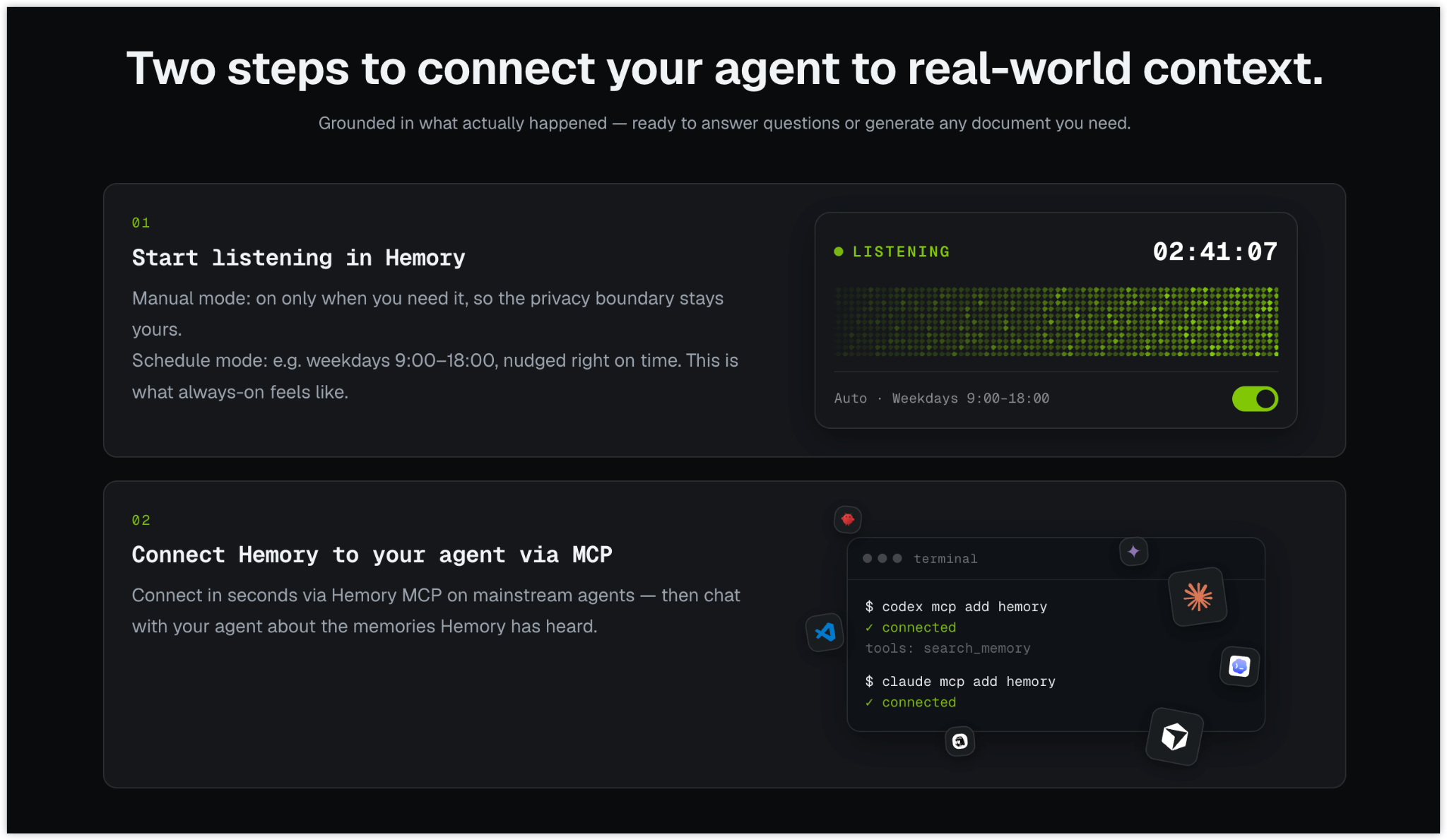
Connect an AI agent to Hemory through MCP.
Hemory publicly describes a standard MCP server and names several adapted agents, including Claude Code, Codex, and Hermes. That does not establish that another client uses the same setup steps. Hemory also describes its ChatGPT connection separately from standard MCP; do not assume that a local MCP command configures a ChatGPT connection.
Symptoms that point to a client-path mismatch
| What you see | What it may indicate | What to check next |
|---|---|---|
| The field rejects the text as an invalid URL or value | The field may expect connection details rather than a command | Read the field’s instructions and identify the required input type |
| You pasted a command beginning with shell syntax into a browser-based form | The instructions may be for a local client, not that form | Find the setup guidance for the exact client and connection route |
| The command runs in a terminal, but the web client shows no connection | The local process and web client may not share a connection path | Check whether that client supports connecting to the local server and what it requires |
| A connection appears, but Hemory tools or Memory are unavailable | The path may be recognized, but access, configuration, or eligibility may still need attention | Review the client’s connection status and any relevant account or workspace controls |
These are diagnostic clues, not proof of a particular cause. A field label, error message, or client setup guide is more useful than assuming that all MCP clients accept the same configuration.
How to narrow down the issue
Start with the client that displayed the field. Is it a command-line tool, an editor, a desktop app, or a web interface? Then read what that exact client asks you to enter. Do not substitute a command from another client’s guide just because both instructions mention MCP.
Next, compare the required input with what you pasted. If the client asks for a local command or configuration entry, use instructions intended for that client. If it asks for a URL or connector details, look for a supported connection route that matches that field. A local address may also be unreachable from a hosted service; do not assume that a local server is automatically accessible outside the machine running it.
If the input type and client path match but the connection still fails, check the client’s own error details, authentication or permission prompts, and any plan or workspace requirements that apply. The available information here does not establish which ChatGPT entry point, plan, or current setup steps apply, so confirm those in the client’s current documentation rather than relying on a guide for another surface.
When to investigate Hemory itself
Hemory provides MCP capabilities for supported external agents to retrieve relevant Memory. The external client handles its own connection and subsequent reasoning; the user remains responsible for reviewing the result. Hemory can only provide captured information that is accessible through the supported connection. A failure to paste a command into a different kind of field does not show that a conversation was not captured or that Hemory retrieval is failing.
Once you have confirmed that the client supports the connection method you are using, investigate the remaining error using that client’s guidance and the applicable Hemory connection information. If the required path, permissions, or ChatGPT availability are unclear, treat that as an unresolved compatibility question—not as evidence that an unverified setup should work.
FAQ
Can I paste a local MCP command into any connector field?
No. The field may expect a URL or other connection details, while a local command is meant for a client that can run or configure a local process. Follow the instructions for the specific client and field.
Does a failed connection mean Hemory is down?
Not necessarily. First check whether the command and field belong to the same client path. If they do, use the client’s error information and confirm the relevant connection and access requirements.
Does Hemory’s MCP support confirm that ChatGPT uses the same setup?
No. A general MCP capability or instructions for another agent do not establish the current ChatGPT connection route, entry point, or requirements. Confirm those details for the specific ChatGPT surface you are using.
Next step
Before retrying, write down the client name, the kind of input its field requests, and the source of the command or URL you pasted. Matching those three details can reveal a path mismatch before you spend time troubleshooting the wrong system.