

 Hemory Team
On this page
A long recording can make one useful comment hard to find, especially when you remember the point but not the exact wording. The best method depends on the clue you have and whether you need only the gist or the speaker’s wording and tone.
TL;DR
- Search the transcript when you remember a distinctive phrase and your tool supports full-text search.
- Scan transcript text when you remember a speaker, topic, or approximate point in the conversation.
- Play a relevant transcript line to check wording and context. Scrub the audio when text is unavailable or delivery matters.
- Hemory offers transcript-based Q&A for accessible captured Memory, but its documented features do not establish general keyword search or a guaranteed exact-line locator.
Which method should you try first?
Start with the most specific clue you can recall. A distinctive phrase can narrow the search quickly; a broad topic may lead to many possible matches. If you remember only the speaker or a rough time, a transcript scan may be more useful than searching for words you are unsure about.
| Method | Best when you remember | Main advantage | Main limitation |
|---|---|---|---|
| Search transcript text | A distinctive word or phrase | Jumps to matching text when full-text search is available | Misses the exchange if the transcript uses different wording or the phrase is common |
| Scan the transcript | A speaker, topic, or rough time | Lets you recognize meaning even when exact wording is unclear | Can take effort in a long transcript, especially when the clue is broad |
| Play a transcript line | The likely line or nearby passage | Checks spoken wording and surrounding context without replaying from the start | Requires a usable transcript and playback access on the listening device |
| Scrub the audio | Tone, pauses, or a detail not clear in text | Lets you hear delivery and context directly | Can mean navigating through audio without a strong text clue |
These methods can work together. Search or scan to narrow the options, then play the likely passage to confirm that it is the comment you meant.
When transcript search is the quickest route
Use text search first when you remember a distinctive phrase, product name, or unusual term. Search a short phrase rather than a whole sentence: transcripts may clean up speech, omit filler words, or render a phrase differently than you remember.
If the first search returns nothing, try a synonym or the key noun. A failed search does not show that the comment was never recorded. The wording may differ, the transcript may be imperfect, or the app may not offer full-text search across the recording.
Transcript search is a capability of the tool you are using, not a feature to assume in every recording app. Hemory’s documented features include transcript-based Q&A about accessible captured Memory, but do not establish general keyword search. You can ask its built-in Q&A about a captured discussion and use a useful answer as a lead; check the transcript for the exact wording rather than treating the answer as a guaranteed search hit or line locator.
When scanning the transcript is a better fit
Scan when your memory is approximate: you recall who spoke, what the topic was, or whether the comment came near a particular part of the discussion. A transcript can let you move through the exchange more directly than listening to the full recording.
Use the clue to limit the area you inspect. For example, if you remember that a teammate raised a delivery concern during the final discussion of a launch plan, look for that topic and speaker around the relevant section. If the first candidate is not right, widen the search to nearby lines or a related phrase rather than assuming the comment is absent.
Transcript lines can also help you check a candidate in context. Hemory’s Features page describes timestamped transcripts and playback by tapping a line on the listening device. A single line may not contain the full meaning, so listen to the surrounding exchange when a qualification or response could change how the comment should be understood.

Review transcripts with speaker labels and timestamps.
When to scrub through the audio
Scrub the audio when there is no usable transcript, when you remember a rough time but not the words, or when delivery matters—for example, a pause or emphasis changes how you interpret the remark. If you have a transcript, use it first to narrow the passage instead of starting at the beginning and listening through the whole recording.
Playback access can depend on the device. Hemory’s raw audio is stored only on the listening device and is not synced across devices, so use that device when you need the original audio. Transcript-line playback is also described for the listening device. A transcript can still help you find and review text elsewhere, but do not assume the original audio will be available on every device.
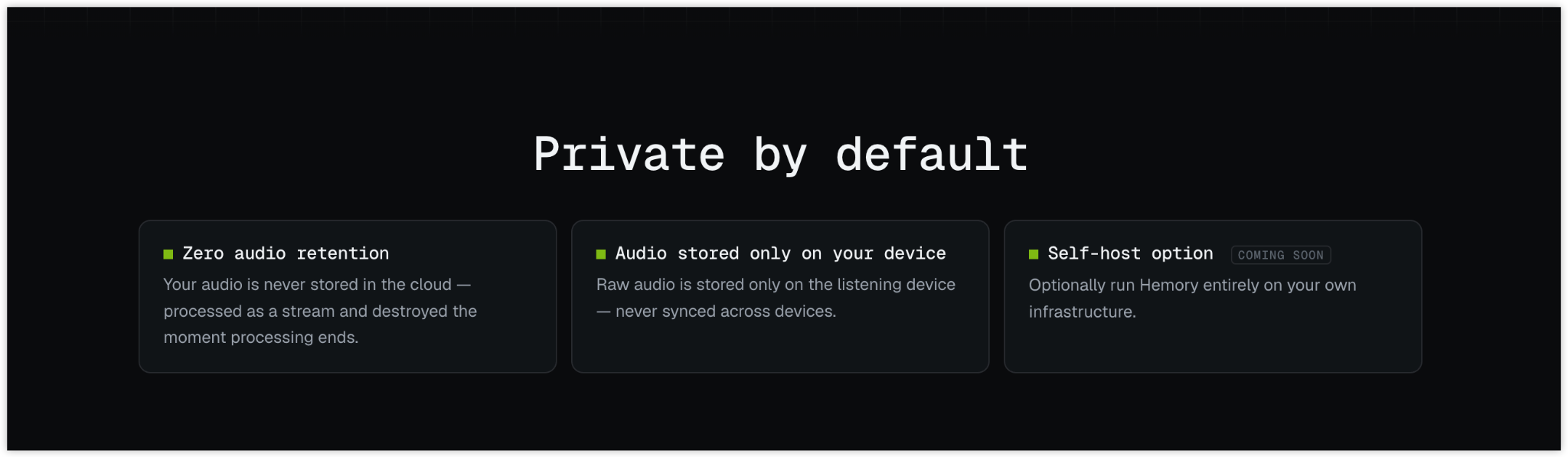
Privacy cards present claims about audio storage and retention.
A practical decision rule
Use the first method that matches what you actually remember:
- You remember distinctive wording: Search the transcript if the app supports it.
- You remember the topic, speaker, or rough time: Scan the transcript for a likely passage.
- You found a likely passage: Play the line and enough surrounding context to confirm it.
- You need tone or have no useful text: Scrub the audio on the device that has the recording.
For any method, separate finding a likely comment from confirming what it means. A transcript may contain recognition or transcription errors, and a sentence taken out of context can misrepresent a suggestion, question, or qualified statement.
FAQ
Is searching a transcript always faster than listening?
No. It can be a direct route when you remember words that appear in the transcript and the app supports search. If you remember only tone, timing, or a general subject, scanning or listening may be more useful.
What if I remember the idea but not the words?
Search for a related topic or key term if available, then scan nearby transcript lines. If no phrase fits, broaden the terms or use a speaker or time clue instead.
Can transcript-line playback replace listening to the whole recording?
Often it can help you review a specific passage without starting over, but one line may not preserve the surrounding meaning. Play nearby lines when the comment depends on a qualification, question, or response.
Does Hemory offer exact keyword search for one comment?
The documented features describe transcript-based Q&A and transcript-line playback, not a general keyword-search feature or guaranteed line locator. Use Q&A as a retrieval aid for accessible captured Memory, then inspect the transcript when exact wording matters.
Choose by the clue, then confirm the context
A distinctive phrase points toward transcript search; a speaker or topic points toward scanning; tone or uncertain wording calls for playback. Narrow the passage first, then review enough context to understand what was actually said. If you use Hemory, its transcript-based Q&A can help surface relevant captured context, while transcript-line playback lets you review a likely exchange on the listening device.