

 Hemory Team
On this page
You are about to ask an AI agent for a customer follow-up or a requirements document. The material it needs is spread across three earlier conversations. You remember some of it, and you would have to decide which parts matter and retell them before the agent can start. That recall-and-retell step is the part this workflow removes.
When the conversations were captured in Hemory and your agent supports MCP (Model Context Protocol, the standard way an agent connects to outside tools), you can start from the task. The agent retrieves the relevant Memory, and you review what it found.
TL;DR
- Start with the goal, the audience and the output you want. You do not need to summarize past conversations first.
- Give the agent whatever clues you have, such as a customer, a topic or a rough time frame, and let it search. Results can correct what you remember.
- Before you rely on the draft, ask the agent which conversations and passages it used, and what it did not find.
- Add what has changed since: new decisions, new constraints and anything never discussed. Old Memory cannot supply those.
- Review the draft for wording, attribution, conditions and current status. The agent drafts; you decide what is accurate and what goes out.
What has to be true before you start
Three conditions decide whether this works at all.
- The conversations were captured. Hemory can only retrieve discussions it recorded. If a call or meeting never went through Hemory, the agent cannot find it. Paste the notes you have, or ask the agent to list the open questions for you to fill in.
- Your client is one Hemory publicly lists for MCP. The current list includes Claude Code, Codex, Gemini, Cursor, VS Code, OpenClaw, Hermes and general standard MCP clients. A public listing is not a test of each client’s setup steps, tools or permissions, so follow your client’s own instructions for adding an MCP server and expect differences between clients.
- You know what the connection can do. Hemory’s MCP documentation covers Memory retrieval and Speaker labeling and management. It does not describe sending email, updating a project tracker or other actions in outside systems. If your agent can do those things, it does so with its own tools and your approval, not through Hemory.
If you have not set up the connection yet, do that first and confirm the agent can see the Hemory tools. The rest of this guide assumes it can.
Step 1: Start from the task
Tell the agent what you are producing, for whom, and what is true now. Skip the history. The agent retrieves that.
I need to draft a follow-up email to a customer after our last two calls.
The goal is to confirm what they asked for and what we can offer next.
Search my Hemory Memory for the relevant conversations before drafting.
The request does three things. It names the output, so the agent knows what to look for. It states the goal, so retrieval is guided by purpose and not by keywords alone. It tells the agent to search before writing, so it does not fill gaps by guessing.
This step replaces the work of rereading your notes and deciding which details to retell. You supply the task. Hemory supplies the captured conversations. The agent does the retrieval and the drafting.
Step 2: Let the agent retrieve
Add any clues you already have: a customer or colleague name, a topic, a rough period. You do not need exact dates, quotes or speaker names. Missing clues are normal, because you often start this task precisely because you do not remember the details.
The customer is Northwind. The calls were in the last month or so.
I remember something about exports and a security review, but not the details.
In practice, the agent searches Memory, reads the matching transcript passages and builds its picture from them. Hemory’s Features page demonstrates search_memory-style retrieval across sessions and transcript lines. The exact tools your client exposes may differ, so treat the agent’s own tool list as the authority for your setup.
If the first search returns thin results, widen the clues or try a different angle, such as a person’s name instead of a topic. A failed search does not prove a conversation never happened. The conversation may not have been captured, the search terms may have missed it, or your connection may not cover it.
Step 3: Check what it retrieved and what it used
This is the step that makes the draft trustworthy. Ask the agent to show its work before you read the draft.
Before drafting, list the conversations and passages you used,
say what each one contributed, and tell me what you looked for but did not find.
What the agent can show depends on what your client and the Hemory tools return. Some clients will list sessions and quote lines; others will describe what they found in general terms. If the agent cannot point to a passage, ask it to quote the lines it relied on. You can also read the relevant transcript in Hemory, or put the same question to Hemory’s built-in Q&A, which answers from your own Memory.
When you read the result, ask a few specific questions:
- Is it the right scope? A shared name or keyword does not mean two discussions concern the same project. Check that a retrieved passage belongs to the work you are drafting.
- Is it a proposal or an agreement? A suggestion in one call and an accepted choice in another are different things. Make sure the agent has not merged them.
- What is missing? The agent’s list of things it did not find is often more useful than its list of things it did.
- Is the order doing too much work? One discussion coming after another does not show that the first caused the second, or that a later mention replaced an earlier agreement.
Transcripts record speech, and they can contain transcription mistakes. A quick comparison against the transcript is usually enough. You rarely need every source.
Step 4: Add current information
Memory holds what was said when it was captured. It does not know what happened afterward. Tell the agent what has changed and what you want to commit to now.
Since those calls: engineering says a first version can ship in the next release.
Nobody has discussed who handles the security sign-off.
Keep the tone brief and avoid promising a date.
Keep these details separate in your own mind. Facts from the conversations came from Memory. New instructions, estimates and decisions came from you. If you are not sure whether something was agreed, say so and ask the agent to phrase it as a question.
Step 5: Draft, then review
Ask for the draft and say how you want uncertain points handled.
Draft the email. Mark anything that comes from the calls versus anything I just told you.
Where something was only proposed, or a condition was never confirmed, word it as a question.
Then review it as the person responsible for what is sent. A short table of what to look at:
| Check | What to look for |
|---|---|
| Wording and attribution | Is each request or statement credited to the person who made it, in terms they would recognize? |
| Conditions | Is a conditional statement still shown as conditional? |
| Current state | Does the draft say “shipped” or “approved” where the source says only “planned” or “proposed”? |
| Authority | Does it commit to something you have not been authorized to promise? |
If something is wrong, tell the agent exactly what to fix and why. It can retrieve again if you suspect it missed something. The draft stays yours to approve.
Example: a follow-up after two customer calls
Consider a product manager preparing a follow-up to a customer. They tell the agent the goal, a customer name and a rough time frame. The agent retrieves two conversations from Memory and reports what it used.
- In the first call, the customer asked for a CSV export of audit logs and said it mattered for their quarterly review.
- In the second call, the customer said they would need their security team’s sign-off before turning the feature on. The product manager said they would look into whether a first version could be ready before that review.
The product manager adds one piece of current information: engineering has said a first version can ship in the next release. The draft might look like this:
Thanks again for the calls. You asked for a CSV export of audit logs for your quarterly review, and we’ve confirmed a first version is planned for the next release. You mentioned you would need security sign-off before enabling it. We haven’t discussed timing for that yet. Who on your side should we talk to?
The table shows where each statement came from.
| Statement in the draft | Source | Status |
|---|---|---|
| Customer asked for CSV export of audit logs | First call | Request stated by the customer |
| Needs it for the quarterly review | First call | Reason given by the customer |
| First version planned for the next release | The product manager, just now | Current information, not from Memory |
| Security sign-off needed before enabling | Second call | Condition stated by the customer |
| Who handles sign-off | Not established | Open question, not assigned to anyone |
The draft does not say the customer approved anything, because no one did. It does not say the feature is committed beyond what the product manager supplied. The sign-off owner stays a question because the source never named one.
A PRD uses the same workflow
A requirements document follows the same five steps. The goal is a PRD for a feature. The clues are the customers and the rough period of the interviews or brainstorming. The agent retrieves the relevant discussions, and you check which requests were stated, which were suggestions and which were accepted. You then add current constraints, such as scope and timeline, and review the draft.
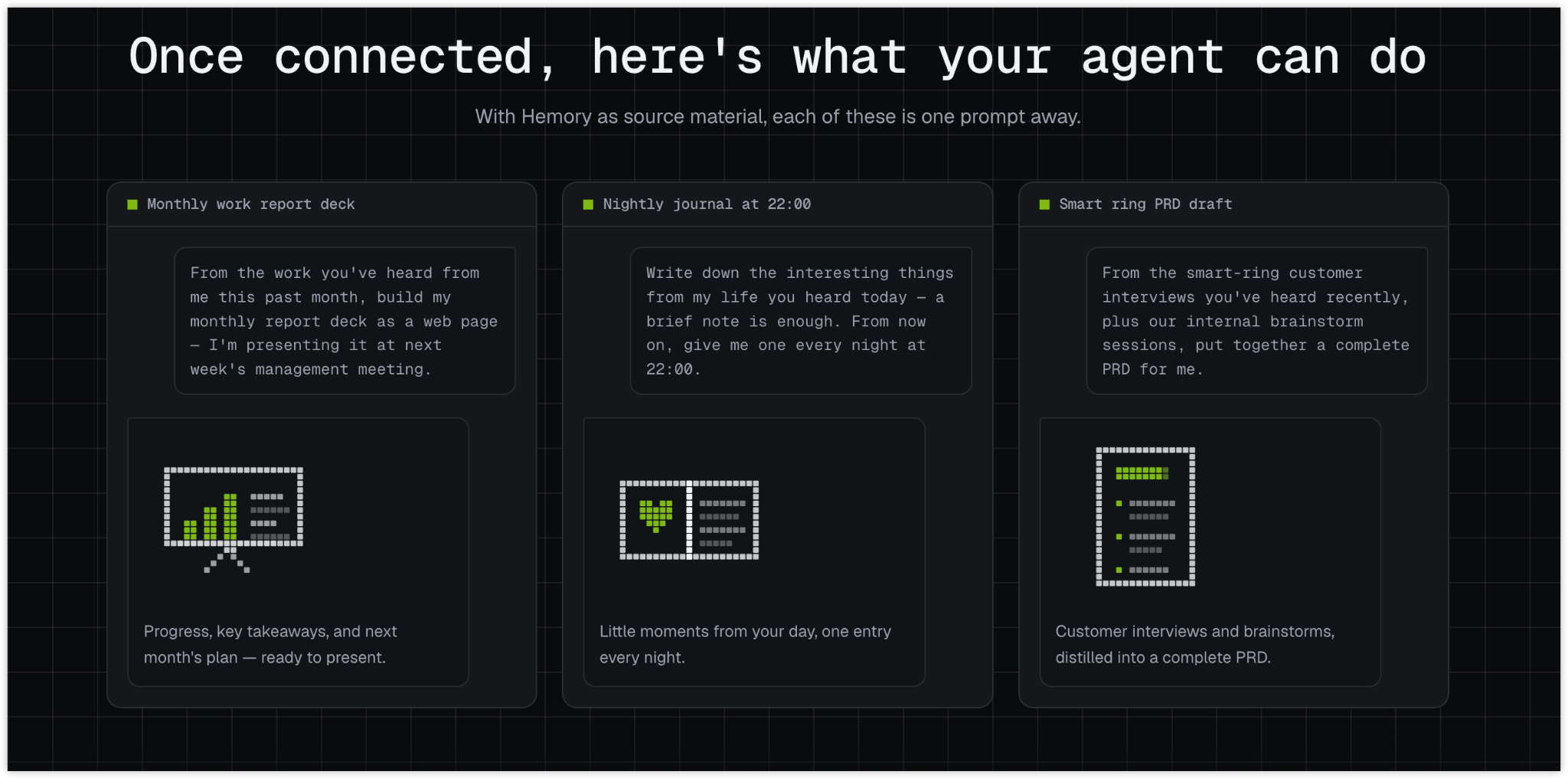
Label any requirement not yet approved as a proposed priority, not a confirmed commitment. The Hemory documentation lists a PRD from customer interviews and brainstorming as an example of what an external agent can produce. That is an illustration of the agent’s work, not a feature that creates the PRD automatically.
Who does what
| Work | Done by |
|---|---|
| Capturing the conversation as a transcript and organizing it as Memory | Hemory |
| Searching Memory and returning relevant passages through MCP | Hemory tools, called by the agent |
| Reasoning over the passages and drafting the document | The external agent |
| Supplying the current goal, new information and decisions | You |
| Reviewing the draft and approving it for use | You |
Without Hemory, the professional method still works. The work that comes back is recalling the conversations, choosing what matters and retelling it to the agent each time. If the discussion was never recorded, you would also be reconstructing it from memory.
When a simpler route is enough
Not every task needs an agent. For a single lookup, such as “What did we say about the export format?”, Hemory’s built-in Q&A answers questions about your Memory and supports multi-turn follow-ups. Use the agent route when the lookup feeds a larger task, such as a draft, and you want the agent to retrieve and write in one pass.
If your client cannot connect or the conversation was never captured, paste the notes you have and ask the agent to list its open questions. You lose the retrieval step but keep the rest of the workflow.
FAQ
Do I need to summarize the earlier conversations before asking the agent?
No. State the task and any clues, and let the agent retrieve. After it reports what it used, add anything it missed or got wrong. You do not need a complete timeline or brief first.
Does every MCP client have the same access?
Do not assume so. Hemory publicly lists several clients, but that listing is not independent verification of each client’s setup, tools or permissions. Check what your client exposes after connecting.
Can the agent send the follow-up or update my project tracker through Hemory?
Hemory’s documented MCP capabilities cover Memory retrieval and Speaker labeling and management, not sending email or updating outside systems. If your agent can do those things, it uses its own tools, and you should approve each action.
What if the agent finds nothing relevant?
Try different clues, such as a person or a different topic. If that still fails, the conversation may not have been captured, or your connection may not cover it. Add the missing details yourself or ask the agent to draft with open questions.
Next step
Pick one draft you are about to write that depends on earlier conversations. State the goal, give the agent a few clues and ask it to show what it retrieved before it writes. Then add what has changed and review the result. You skip the retelling, and you keep the judgment about what the draft should say.
