

 Hemory Team
On this page
A month-end meeting overview is useful only if you can get from the conversations to a draft without first building a manual extraction log. With a connected agent, you can ask it to retrieve relevant, previously captured Hemory Memory and organize a summary for review. The agent drafts; you supply the reporting period and any current context, then check that the overview represents the meetings accurately.
TL;DR
- Make sure the meetings you want to summarize were captured in Hemory and are accessible through the connected MCP client.
- Specify the month, the overview’s audience or purpose, and the sections you need. Ask the agent to retrieve relevant Memory rather than preparing a full chronology yourself.
- Review the records and draft for dates, attribution, decisions, actions, and gaps. Add current updates that were not in the captured conversations.
- A recurring run must be set up in the agent or automation environment; Hemory does not schedule the agent to run each month.
Set up the monthly summary request
1. Confirm the source and connection
This workflow is for meetings that were captured in Hemory and are accessible to your connected MCP client. Hemory organizes captured conversations as Memory, and its product documentation describes structured meeting notes that can include agenda items, decisions, and action items. Through MCP, Hemory exposes Memory retrieval; the Features page demonstrates a search_memory tool.
Connect your chosen client using its current setup instructions. Connection steps and the tools available can vary by client, so do not assume one client’s configuration applies to another. If a particular meeting is missing from the accessible Memory, use another available record or ask a focused follow-up; an agent cannot retrieve a conversation that was never captured or is outside its access.

Review MCP connection options and access settings.
2. Define the period and the overview’s purpose
State the month and year, and include the intended date boundaries if your organization’s reporting period differs from the calendar month. Say what the summary is for—for example, a personal review, a team update, or a project handoff. That helps the agent select useful sections instead of returning an undirected collection of notes.
Request sections that match the task. A general overview might include:
- Meetings found, with dates or other identifying details when available
- Main topics and developments across the month
- Decisions and the conditions attached to them
- Action items, with owners and deadlines only when the records establish them
- Open questions or details that need your review
Do not assume that a speaker is an action owner, that a suggestion became a decision, or that a past commitment has been completed. Ask the agent to preserve those distinctions in the draft.
3. Ask the agent to retrieve and draft
Give the connected agent the reporting period and desired output, then ask it to use the Hemory Memory retrieval available through that connection. You do not need to assemble a complete list of quotations or summarize every meeting first. If the client exposes search_memory, the agent can use it as part of retrieval; do not assume that it accepts a particular date filter or returns every matching record.
You can adapt this request:
Prepare a monthly meeting overview for [month and year] ([start date] through [end date]). Use the Hemory Memory available through this connection to find relevant captured meetings and draft an overview for [audience or purpose].

Organize it into:
- Meetings found, with dates or identifying details when available
- Main themes and developments
- Decisions, preserving any stated conditions
- Action items, including an owner or deadline only when the records establish one
- Open questions and details that need my review

Keep recorded statements separate from your interpretation. Do not treat proposals as decisions or infer completion from an earlier commitment. Note any apparent coverage gaps or uncertainty. Do not invent missing information. Provide source details when the connection makes them available.
The request asks the agent to retrieve and draft in one workflow, rather than requiring you to create an extraction table first. The connected agent performs its own search and writing; Hemory supplies accessible captured Memory. The draft is not proof that every relevant meeting was found.
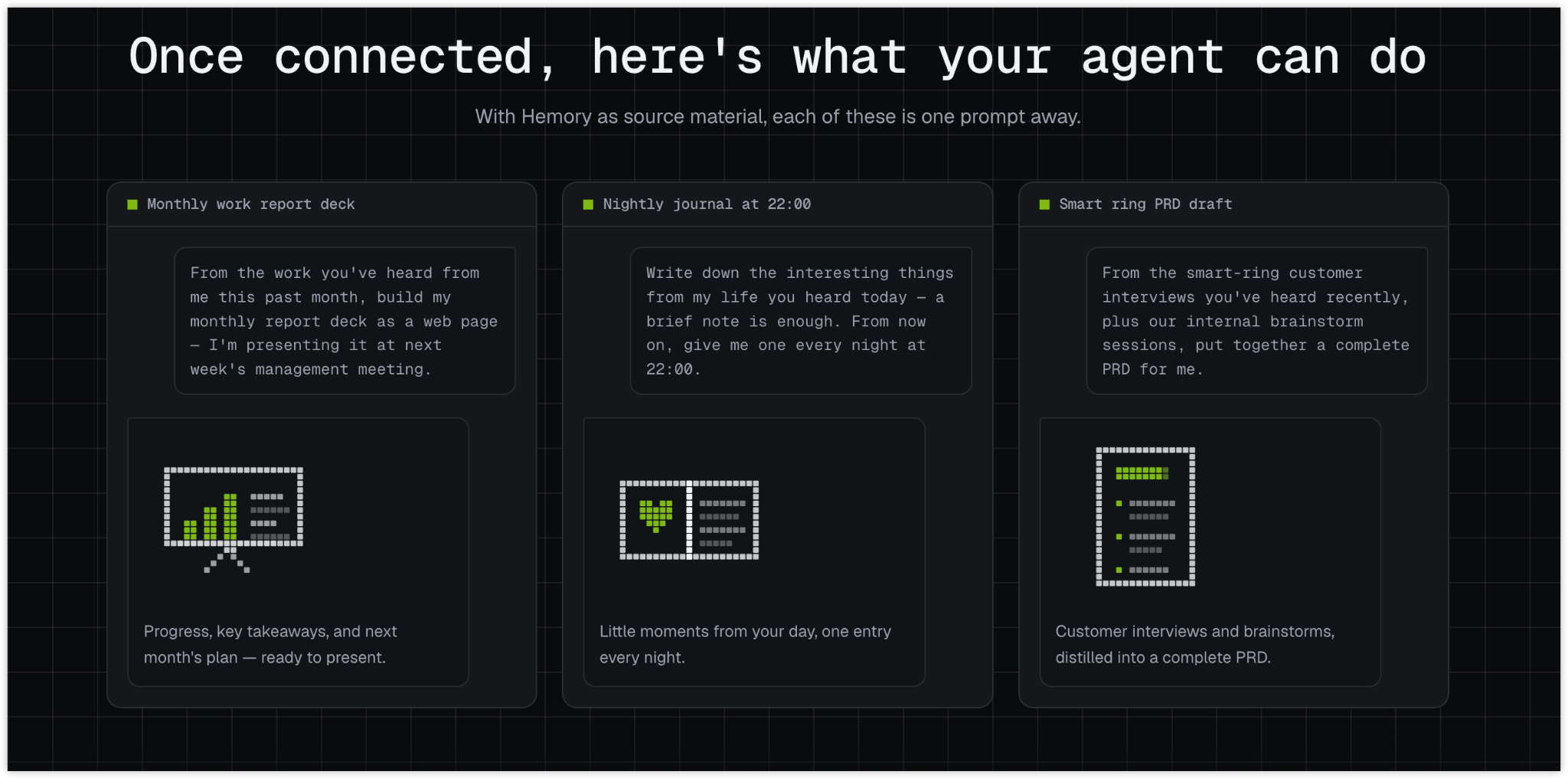
Turn saved context into reports, journals, and product requirements.
4. Review the draft against the records and current situation
Start with details that could change what someone does next:
- Coverage: Do the listed meetings match the period and topic? Treat the result as a set of records found, not a guarantee of complete coverage.
- Attribution: Does the record support who said or accepted something? A name mention alone does not establish ownership.
- Decision status: Are proposals, accepted decisions, conditions, and open questions kept distinct?
- Actions and progress: Does the source establish the owner or deadline? Does a past commitment remain separate from evidence that the work was completed?
- Currency: Have plans, dates, or statuses changed since those meetings? Add current information the captured discussions could not provide.
If a consequential detail is unclear, check the relevant available record or ask a focused question. If retrieval returns no result, that does not by itself prove the meeting was not captured or that no decision was made; the client may not have surfaced the relevant material.
5. Save or schedule the workflow where you work
Use the reviewed overview in the appropriate team or project process. A source reference does not automatically grant teammates access to your Hemory Memory, so include the context they need in the shared deliverable or use a sharing route they can access.
For a monthly repeat, save the request in your agent or configure the recurrence in the automation environment you use. Scheduling is handled there, not by Hemory. Before relying on a recurring run, confirm how that environment triggers the request and what context it can access; do not assume an MCP connection wakes an agent automatically.
What makes the overview useful?
A useful monthly summary does more than collect meeting titles. It shows what developed, what the team actually decided, what remains open, and what needs a current update. Keep the source period visible and preserve uncertainty where the records do not settle a point. That makes the overview easier to review and less likely to turn a suggestion or old commitment into a current fact.

See how a meeting summary highlights decisions and follow-ups.
If you already capture meetings with Hemory, the connected workflow can reduce the work of selecting and retelling each discussion before asking for a summary. Your review still matters: retrieval can miss relevant material, and only current information or the appropriate people can settle changes that happened afterward.
FAQ
Does Hemory automatically send a meeting summary at the end of every month?
No. Hemory provides captured Memory and retrieval for a connected agent. The recurring trigger must be configured in the agent or automation environment, which also determines how the request runs.
Do I need to summarize each meeting before asking the agent?
No. Ask the connected agent to retrieve relevant, accessible Hemory Memory and draft the overview. Provide the reporting period and purpose, then review the result and add current information. If a meeting was not captured or is not accessible through the connection, supply another usable source or clarify the gap.
Can I assume the summary includes every meeting from the month?
No. Retrieval is not a completeness guarantee, and the available evidence does not establish a universal date-filtering method for every client. Review the meetings surfaced, look for important gaps, and use other records when the summary needs broader coverage.
Can the agent update our project tracker after writing the summary?
Do not assume so. Hemory’s MCP retrieval does not establish permission or capability to write to an arbitrary external system. Review the summary and transfer it through a workflow your team has authorized.
To try the workflow, choose a month that has already been captured, request a purpose-specific overview from your connected agent, and review the draft before sharing it. That keeps manual preparation focused on current context and consequential gaps rather than a full retelling of every meeting.