

 Hemory Team
On this page
An AI agent can only use earlier conversations if it can reach a record of them. Connecting Hemory through MCP gives a supported agent a route to retrieve relevant captured Memory, but the connection alone does not guarantee that a particular answer will use it. This guide explains the prerequisites, what to configure, and how to check the result without assuming every client works the same way.
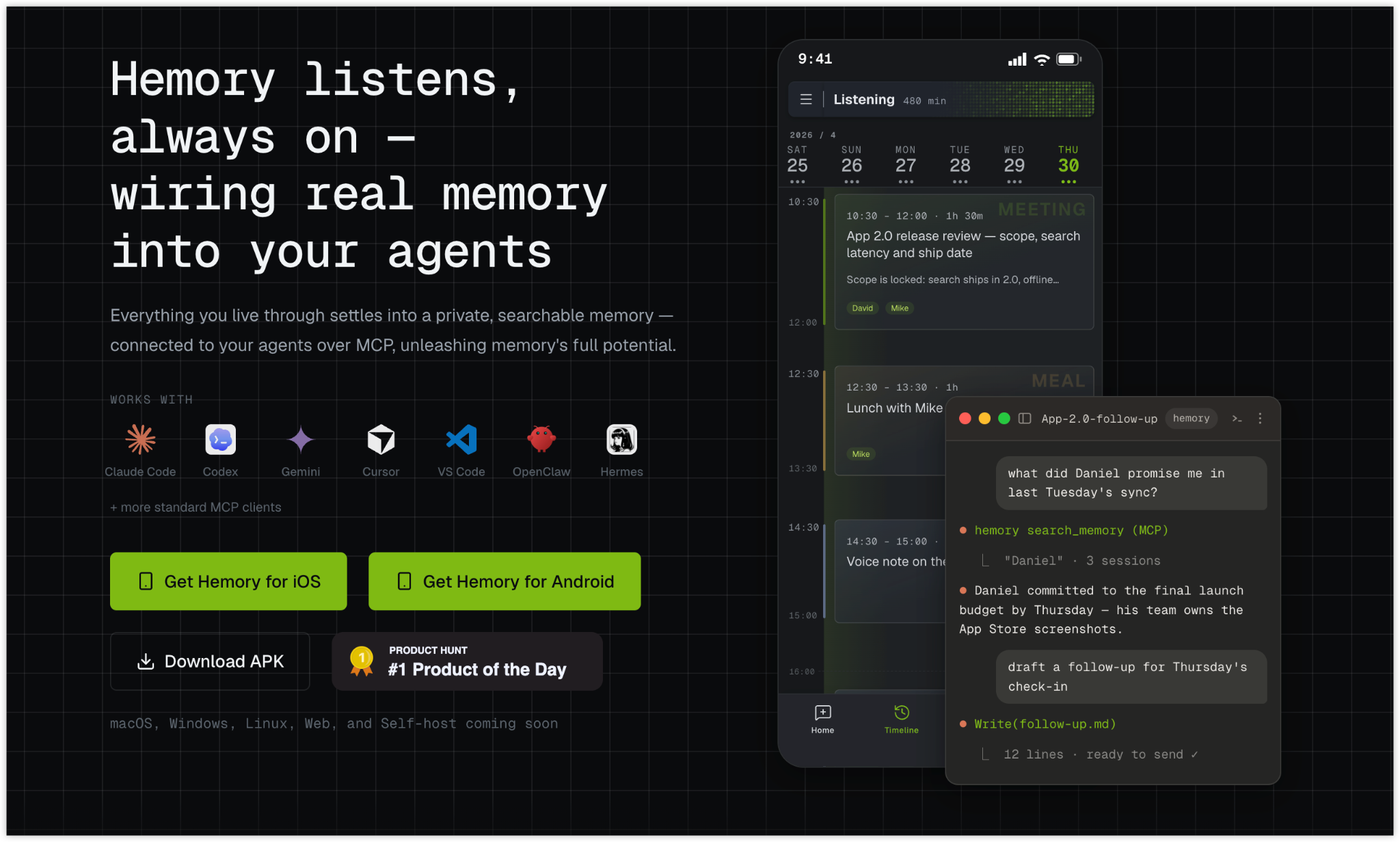
Bring past conversations into AI workflows with searchable memory.
TL;DR
- The conversation you need must already be captured in Hemory and accessible through the connection. Hemory cannot retrieve a discussion that was never recorded.
- Configure Hemory’s MCP server using the current instructions for your supported agent. Client setup, available tools, and permissions can differ.
- A connection makes retrieval possible; your task must still call for relevant past context, and the agent must use the available retrieval tool.
- Check the result against a detail you can recognize or verify. A missing result alone does not prove the conversation was not captured.
What the MCP connection does—and what it does not
The Model Context Protocol (MCP) provides a way for an AI agent to connect to tools and information outside its current chat. Hemory’s MCP server gives supported agents a way to retrieve relevant Memory from conversations already captured in Hemory. The agent can then use the retrieved context in its own response.
Hemory’s Features page lists Claude Code, Codex, and Hermes as examples of agents for MCP connection. A listing does not establish that every client has the same setup, tools, or permissions, or that each has been independently tested. Follow the latest instructions for the specific client you use; there is no single configuration recipe that applies to all of them.
The connection example is tied to the current Hemory Vault. This does not mean an agent can access every account or another person’s Vault. MCP is also not necessarily read-only: Speaker labeling and management are documented, but that does not establish permission to edit arbitrary Memory or take actions in other systems.
Hemory provides captured and organized context and makes retrieval available. The external agent performs its own reasoning and drafting, if you ask it to. You remain responsible for reviewing the result and deciding what to do with it.
Before you configure the connection
Start with the conversation you want the agent to use. Check that it was captured in Hemory and is in the Vault you intend to connect. Hemory can organize and retrieve available Memory; it cannot reconstruct an uncaptured exchange. If an important detail is missing, use another record or ask someone who was involved.
You do not need to rewrite the full discussion into a chronology before trying retrieval. Have the current task ready, along with any new constraints the agent could not know from the past conversation—for example, what decision you need to make now or which draft you want it to help with.
Connect Hemory to your agent
- Choose a supported client. Check Hemory’s current integration information and the client’s own documentation. Confirm that the specific client supports MCP connections and that its instructions apply to your version and setup.
- Follow the current connection instructions. Configure Hemory’s MCP server as directed by Hemory and the client. The server address, authorization steps, and client controls are specific to the supported setup, so do not copy settings from an unrelated agent’s walkthrough.
- Connect the intended Vault. Complete any required access or authorization steps for the Hemory Vault containing the relevant conversations. A connection to a different Vault will not provide the Memory you expect.
- Check the client’s available tools. If the client shows connection status or available MCP tools, confirm that Hemory is connected and that the relevant retrieval capability is available. Do not assume that a connected status means every tool or permission is enabled.
- Try a task that needs past context. Give the agent a specific goal and clues that can help it find the right discussion. For example: “Use relevant Hemory conversations about the onboarding handoff to summarize what was agreed, what conditions remain, and what I need to decide now. Separate retrieved information from your suggestions, and tell me if you cannot find relevant context.”
Hemory’s connection makes retrieval possible; the agent still needs to use the available retrieval tool. A prompt about a task that depends on earlier context makes that need explicit. If the client exposes tool-call history, check whether the Hemory retrieval tool was actually called. If it does not, evaluate the returned answer and use the client’s own connection diagnostics where available rather than assuming a particular interface or log exists.
Check whether retrieval helped
Judge the returned context by whether it helps with the current task, not by the mere fact that the agent answered. Look for details that connect to the discussion you meant: the relevant proposal or decision, its conditions, and anything that was left open. If the client shows the source conversation or retrieved material, compare it with the answer. Ask the agent to distinguish what it retrieved from its interpretation or recommendation.
For example, if you need to prepare a handoff, a useful result might distinguish an agreed next step from a suggestion that was never accepted. If the output blurs that distinction, ask for the supporting context or check the original record when available before relying on it.
A failed or vague answer has several possible causes: the conversation may not have been captured, the connected Vault may not contain it, the client may not have invoked retrieval, or the task may not have given the agent enough clues. A missing result does not, by itself, show which explanation is right. Try a more specific topic or circumstance, check the connection and Vault, or consult another source. Transcripts and summaries can also contain errors or omissions, so verify details that would change your next action.
Common questions
Does connecting MCP give an agent access to all my Hemory data?
Do not assume that it does. The documented connection example is tied to the current Vault, and the actual tools and permissions can vary by client. Check the current setup and permission details for the specific connection you plan to use.
Will the agent automatically search Hemory in every conversation?
A connection makes retrieval available; it does not guarantee that the agent will use it in every reply. For work that depends on earlier discussions, say what you need and ask the agent to retrieve relevant Hemory context. If your client exposes tool-call history, use it to check whether retrieval occurred.
Is the Hemory MCP connection read-only?
Not entirely: Speaker labeling and management via MCP are documented. That does not mean the connection can edit arbitrary Memory or act in external systems. Check the tools and permissions documented for your client rather than inferring broader access.
Put the connection to work on a real task
Once the connection is configured, try it with a task that genuinely benefits from past discussion: ask for a relevant decision, its conditions, and what remains unresolved. Hemory can reduce the need to search for and retell captured context; the agent’s answer still needs your judgment. If the context is not useful, check the connection, the Vault, and whether the discussion was captured before relying on the result.

Retrieve past commitments and draft follow-up tasks.