

 Hemory Team
On this page
When you need to draft from an earlier discussion, the first decision is where to retrieve the background—and whether to retrieve it separately from drafting. Hemory’s built-in Q&A can help you ask about captured conversations. A connected external AI agent may be the more direct route when it can access the relevant Memory and is where you plan to write. Choose based on the task and the access available, not on an assumption that both surfaces can retrieve the same material.
TL;DR
- Use Hemory’s built-in Q&A to find or clarify details from captured conversations through follow-up questions.
- Use a connected AI agent for retrieval and drafting in one workflow only when its connection can access the conversations relevant to the task.
- If the agent cannot retrieve enough context, use Q&A to find the needed information and provide the relevant result to your drafting tool.
- In every route, give the AI your current goal and any new information; review the draft for accuracy, attribution, and commitments before using it.
Choose the surface by the work you need done
Hemory’s built-in Q&A and a connected external agent serve related but different purposes. Hemory describes its Q&A as a way to ask questions about your Memory, follow up across turns, and retrieve transcript-based information across conversations over time. It also describes connecting Hemory to external agents through MCP. These public descriptions do not establish that every Q&A surface and every connected agent has identical access or retrieval scope. See Hemory’s Features page for its public product descriptions.
| Your immediate need | Better starting point | What to keep in mind |
|---|---|---|
| Find or clarify a detail from an earlier conversation | Hemory’s built-in Q&A | Ask a focused question, then follow up if the answer leaves an important point unclear. Retrieved material depends on what was captured and is accessible. |
| Draft a document in the AI tool you already use | A connected external agent, if it can retrieve the relevant Hemory context | The agent does its own retrieval and drafting. Do not assume its access matches the built-in Q&A or covers every relevant conversation. |
| Retrieve background first, then draft elsewhere | Built-in Q&A, followed by your drafting tool | Provide the drafting tool with the relevant retrieved information and any current facts it needs. You do not need to transfer every conversation. |
| The right route is unclear or the agent’s result lacks key context | Start with a small retrieval question, then choose the next step | A missing result does not prove the information was never discussed. Check another available source or ask a focused clarification if the detail matters. |
The choice is about both retrieval scope and where the document will be drafted. If the external agent can access the conversations that matter, asking it to retrieve and draft may reduce the work of searching, summarizing, and re-entering background. If you first need to explore what was said, or you cannot tell whether the agent can reach the relevant material, use Q&A to narrow the question before drafting.
Route 1: Use built-in Q&A to find or clarify the background
Choose this route when the first task is understanding what the captured conversations contain. Ask a question tied to the work—for example, “What requirements did we discuss for the onboarding flow, and which points were still open?” A follow-up can clarify a condition or distinguish an agreed point from a proposal.

Retrieve past commitments and draft follow-up tasks.
Use the answer to decide what the draft needs. If you will write in another AI tool, give it only the relevant context, along with the document’s purpose and any current information that was not part of the earlier conversations. That is usually more useful than pasting a broad collection of notes without explaining what you need.
The Q&A route is also a practical fallback when an external agent’s retrieval is uncertain or does not surface a consequential detail. The built-in Q&A is described as working with captured Memory, including transcript-based, multi-turn questions across conversations over time. That description is not a guarantee that every possible record or session will be returned. If an important point is missing, consult another available source or ask someone who can clarify it.
Route 2: Let a connected agent retrieve and draft together
Choose this route when the document will be written in an AI tool that has a supported Hemory connection and can access the relevant captured conversations. This can reduce manual compilation: instead of first building a complete chronology or summary, tell the agent what you are writing and let it retrieve the task-relevant background available through its connection.
A useful request supplies the current task, not a retelling of every past discussion:
Draft a short product-requirements section for the onboarding flow. Use relevant captured conversations you can access to identify stated user needs, accepted decisions, proposals, and open questions. Keep those categories distinct. I’ll provide the current launch constraints separately. Flag any material gap rather than filling it with an assumption.
Then provide the current constraints or source documents the agent cannot obtain from Hemory. The external agent performs its own supported retrieval and drafting; Hemory provides access to captured context. You remain responsible for deciding what belongs in the document and for moving the approved result into your work process.
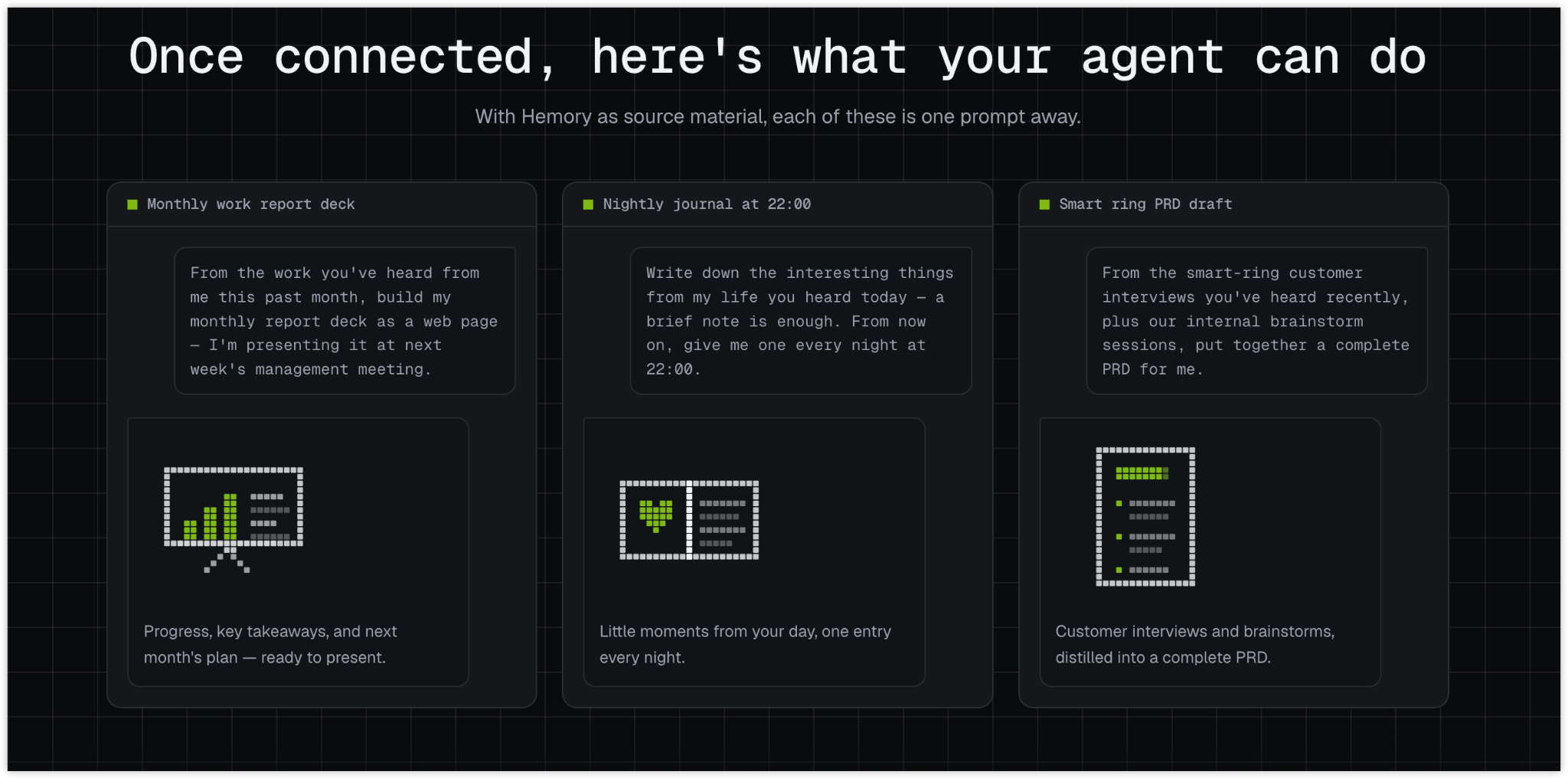
Turn saved context into reports, journals, and product requirements.
A connected agent is not automatically the better choice just because you are drafting with AI. If it cannot access the relevant conversations, or its available context is unclear, do not rely on it to reconstruct them. Use built-in Q&A or another accessible source to find the necessary background, then supply the relevant material to the drafting tool.
Give the AI current instructions, then review what matters
Past conversations provide background; they may not contain the current purpose, audience, format, or constraints. State those explicitly. If dates, figures, or requirements have changed, provide the current information instead of expecting historical context to settle it.
Review the resulting draft for the distinctions that affect what you will do next:
- What was said versus what was inferred: A summary or draft may combine evidence with interpretation. Keep the two distinguishable.
- Proposal versus agreement: A suggestion is not an accepted decision. Check for evidence of acceptance before presenting it as settled.
- Conditions and open questions: Preserve conditions attached to a decision and mark unresolved details instead of silently completing them.
- Current status: A past commitment does not establish that the work is complete. Use current information for progress and ownership.
- Access and source gaps: If a detail is missing or consequential, consult an available record or ask for clarification. Do not treat an unsuccessful retrieval as proof that it was never discussed.
You do not need to verify every sentence against every transcript. Focus on details that change the document’s recommendation, commitment, scope, or next action. A clear retrieved answer may be enough for routine background; check the underlying record or another current source when the distinction matters.
Make the choice
Use built-in Q&A when you need to explore or clarify captured conversation context. Use a connected external agent when it can retrieve the relevant Memory and you want to draft in that tool. If its access is uncertain, retrieve the needed background first and provide it to the drafting tool along with your current instructions.
This keeps the work grounded without making you manually reconstruct every discussion. Capture makes past conversations available for later use; retrieval or a connected agent helps bring relevant context into the task. Your judgment still determines what the document should say and whether the draft is ready to use.
FAQ
Does built-in Q&A have the same access as a connected AI agent?
Do not assume so. Hemory describes built-in Q&A and external MCP connections, but the available descriptions do not establish identical retrieval scope or permissions across every surface and agent. Use the route that can access the context needed for your task.
Should I summarize every conversation before asking an agent to draft?
No. When a connected agent can retrieve the relevant captured context, start with the task and current instructions rather than preparing a complete manual history. Supply any necessary current information it cannot access, then review the draft’s important claims and gaps.
What if the AI draft leaves out an important discussion point?
Treat that as a gap to investigate, not proof that the point was never discussed. Try a focused follow-up in the surface you are using, check another accessible record, or ask a participant for clarification if the detail affects the document.
Can I use Q&A to prepare context for an AI tool that is not connected to Hemory?
Yes. Retrieve the relevant information with Q&A and provide the useful result to the other tool, along with your current goal and instructions. Share only the context needed for that task and review how the tool uses it.