

 Hemory Team
On this page
A customer call can contain a clear problem, several possible solutions, and questions nobody has answered yet. A useful requirements draft preserves those differences instead of turning every suggestion into a commitment. This workflow helps you organize the evidence, draft reviewable requirements, and check important details before sharing the result.
TL;DR
- Separate customer needs, discussed ideas, explicitly agreed points, and open questions. They are not interchangeable.
- Draft requirements from supported evidence, and label proposed wording or acceptance criteria that need team review.
- Use a transcript or other accessible source context. If the call was captured in Hemory, its transcript and Memory can help you retrieve details without manually reconstructing the whole discussion.
- Review names, wording, conditions, and status against the source. A transcript can contain errors or omissions, and a draft is not an approval.
1. Start with the source you can actually access
Use the transcript from the call if you have it. If it is in a CRM, notes tool, or transcript archive, work from that source or provide the relevant text to your AI assistant through an appropriate workflow. Information outside Hemory does not automatically become available to it.
If the call was captured in Hemory and the relevant Memory is accessible through your chosen route, you can retrieve that context rather than manually rewriting the entire conversation. Hemory describes timestamped transcripts with speaker labels and AI cleanup, as well as transcript-line playback on the listening device; those features do not guarantee a perfect or complete record (Hemory Features). A supported connected agent can use accessible Hemory context to help retrieve and draft. The agent’s available information depends on its connection and permissions.
For a transcript held elsewhere, provide the text you are permitted to use. Do not assume Hemory can import an arbitrary historical file or access another system. If a crucial detail is missing from the available record, consult another source or ask a focused follow-up question.
2. Separate what the customer needs from what was discussed
Before drafting a requirement, classify the relevant statements. This prevents a possible solution from being mistaken for an agreed product decision.
| Classification | What it means | How to record it |
|---|---|---|
| Customer need | A problem, goal, constraint, or job the customer describes | Capture the need in plain language and preserve its context. |
| Discussed idea | A possible solution or feature that someone raised | Record it as an idea or proposal, not as an accepted requirement. |
| Agreed point | A decision or commitment that the participants explicitly accepted | State exactly what was accepted. Name an owner or deadline only if the source establishes one. |
| Open question | A detail that remains unclear or needs confirmation | Phrase it as a question and identify what decision or requirement depends on the answer. |
A request is not automatically a decision. A suggestion is not automatically a commitment. A speaker’s name alone does not establish that they accepted ownership of a task. Keep the source’s level of certainty in your draft.
3. Ask an AI assistant for a structured draft
Give the assistant the transcript or the relevant context it can actually access, along with any current product information that changes the answer. If you use an agent connected to Hemory, state which call or topic you mean and ask it to retrieve the relevant captured context. You do not need to prepare a complete manual chronology first.
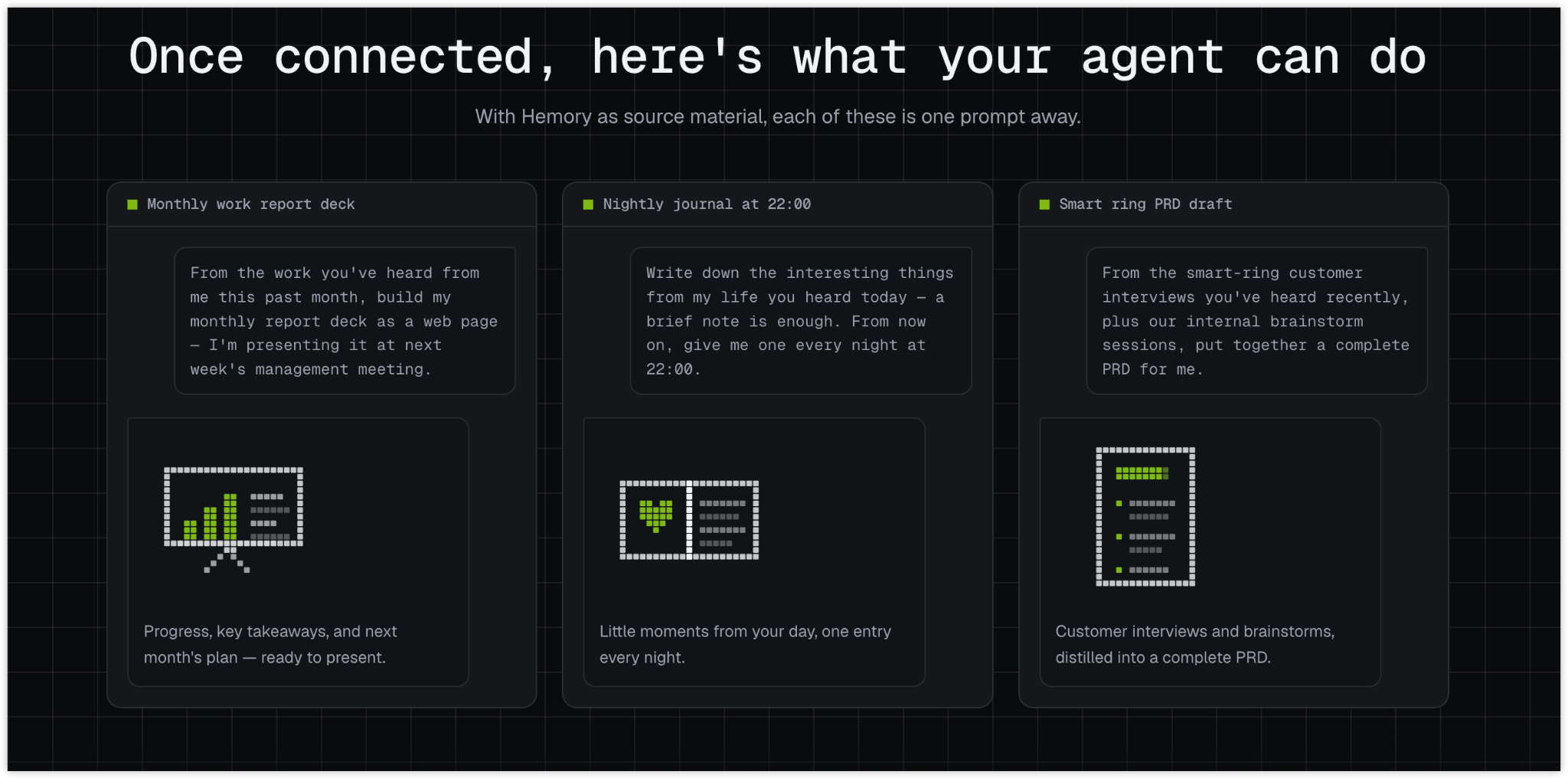
Turn saved context into reports, journals, and product requirements.
Use a request like this, adapting it to your workflow:
Using only the transcript or conversation context available to you, draft a reviewable product-requirements summary. Separate customer needs, discussed ideas, explicitly agreed points, and open questions. For each proposed requirement, explain which need it addresses and include a supporting excerpt or timestamp when available. Distinguish source wording from your paraphrase. Mark inferred requirements or acceptance criteria as proposed, not agreed. Do not invent owners, dates, priorities, commitments, or approvals. List missing information that could change the requirement. If current product information is supplied below, keep it separate from what the customer said.
If you use a tool that cannot retrieve the conversation, provide the permitted transcript text yourself. If the assistant cannot support the requested output format, use its response as source material and organize the draft in your document; do not assume Hemory itself produces a particular requirements format.
4. Turn supported needs into reviewable requirements
A requirement should express what the product needs to support, not just repeat a feature idea. Keep the connection to the customer’s need visible, and distinguish source evidence from your interpretation.
A useful draft entry can include:
- Customer need: The problem or goal, in the customer’s terms where practical.
- Proposed requirement: The product behavior that may address the need.
- Evidence: A short excerpt, timestamp, or clear reference to the source, if available.
- Status: For example, proposed, explicitly agreed, or unresolved.
- Open question: Any missing condition that could affect scope or behavior.
- Acceptance criteria: Observable conditions for review, labeled as proposed if they were not established in the conversation.
Do not force every statement into a requirement. Some comments are background, preferences, or ideas that need validation. Keep a need without a settled solution as a need, and flag where product or engineering judgment is still required.
Example: Suppose a transcript says, “Support staff need to see which order a refund refers to before approving it. We currently switch between tabs. We could show the order ID and purchase date in the refund review. I’m not sure whether warehouse returns work the same way.”
A grounded draft could look like this:
| Item | Draft | Status and evidence |
|---|---|---|
| Customer need | Support staff need to identify the relevant order before approving a refund. | Need stated in the transcript. |
| Product idea | Show the order ID and purchase date in the refund review. | Discussed idea; not established as an agreed decision. |
| Proposed requirement | Consider displaying the order ID and purchase date during refund review. | Proposed interpretation of the stated need and idea; requires product review. |
| Open question | Does the same workflow apply to warehouse returns? | Unresolved in the transcript. |
The example does not establish acceptance criteria, an owner, a deadline, or approval. Add those only when supported by the conversation or supplied as current information, and label new proposals accordingly.
5. Review the draft against the source and current facts
Check the details that could change a product decision or the next action. Compare speaker attribution, figures, conditions, and the distinction between an idea and an accepted point. If a transcript line is unclear or consequential, inspect the available source; for a Hemory-captured session, transcript-line playback may help when it is available on the listening device.
Then review the draft for unsupported additions. Ask:
- Does each requirement address a stated need or clearly labeled product judgment?
- Has a suggestion been presented as agreed, or a question silently turned into an answer?
- Were any owner, date, priority, scope, or approval added without support?
- Are proposed acceptance criteria visibly marked as proposals?
- Does current product information change the interpretation, and is it kept distinct from what the customer said?
A transcript preserves a record of speech; it does not prove that every detail was captured correctly or that a decision is still current. If sources disagree or an important detail remains unclear, preserve the uncertainty and seek confirmation rather than filling the gap.
6. Share a draft that invites the right review
Label the document as a draft and make unresolved questions easy to find. Ask product, design, or engineering reviewers to assess the proposed requirement, its scope, and any proposed acceptance criteria. Keep agreed points distinct from items awaiting review. Do not describe the document as approved unless the relevant decision process establishes approval.
When a Hemory-captured conversation supplies context for the draft, the benefit is that you can stay engaged in the call instead of trying to write down every potentially useful detail. Later, retrieval can help restore relevant context. The agent drafts; you and your team judge the requirements and carry approved work into your usual process.
FAQ
Does a customer request count as an agreed product requirement?
No. A request establishes what the customer wants or needs, not that the team has accepted a product change. Record the need and keep any proposed solution or decision status separate.
Should every discussed idea become a requirement?
No. Keep ideas as ideas until the team determines whether they address a validated need and belong in scope. If the transcript does not resolve that question, leave it open.
Do I need to summarize the whole call before using AI?
Not necessarily. Provide the transcript or, where a supported connection allows it, ask an agent to retrieve the relevant captured context. Add current information the conversation cannot supply, and review the consequential parts of the resulting draft.
What if the transcript seems incomplete or inaccurate?
Treat the uncertain detail as unresolved. Check the available source, such as a transcript line or current project record, and ask a focused follow-up question if needed. Do not treat a missing or unclear transcript detail as proof that something was never discussed.
Next step
Take one recent customer call and create a draft with separate sections for needs, discussed ideas, agreed points, and open questions. Review each proposed requirement against its source before sharing it. If the conversation was captured and is accessible in Hemory, retrieval can reduce the work of searching and retelling; the final requirements still need your team’s judgment and review.