

 Hemory Team
On this page
An MCP-capable client can still show no Hemory tools, expose only part of a tool set, or return no useful results. Those symptoms are frustrating, but none identifies a root cause on its own: a client limitation, a connection or setup issue, and missing or inaccessible conversation history can look similar.
TL;DR
- No Hemory tools appear: The client may not be exposing the connection as expected, or the connection may not be working. This alone does not prove the client is incompatible.
- Some tools appear, or results are unclear: The client may expose only part of the available capability, or the request may not be reaching the function you expect. The symptom is a clue, not a diagnosis.
- Retrieval returns nothing: The relevant conversation may not have been captured or may not be accessible through that connection. Empty results do not prove an MCP failure.
- Check Hemory’s current official integration information, then compare with a publicly listed client. Treat the comparison as evidence to investigate, not a definitive compatibility test.
What each symptom may indicate
MCP support in a client does not establish that every client works with every MCP server, or that all clients expose the same tools and behavior. Hemory’s Features page describes its MCP Server and lists adapted agents, but it does not provide troubleshooting instructions for every client. A public listing is useful evidence of intended support; it is not proof that every setup has been independently tested.
| What you observe | What it could indicate | What it does not prove |
|---|---|---|
| No Hemory tools are shown | The connection may not be available to the client, the client may not be exposing its tools as expected, or the client may not be a suitable match. | That Hemory is down, or that the client is definitely incompatible. |
| Some tools appear, but expected capabilities do not | The client may expose a limited set, or the connection may provide a different tool set than you expected. | That the missing capability is absent from Hemory for every client. |
| A retrieval request returns no results | The request may not match available material; the relevant conversation may not have been captured, or may not be accessible through this connection. | That Hemory has no record of the conversation, or that the connection failed. |
| Results are vague or do not answer the question | The request may be underspecified, the accessible material may not contain the needed detail, or the result may need review. | A specific compatibility or setup fault. |
These are possibilities, not a fault tree that identifies the cause. In particular, Hemory cannot retrieve a discussion that was never captured. Even a captured conversation may not be available through the particular client connection being used.
Compare before concluding that the client is incompatible
Start by checking Hemory’s current official information about MCP and its publicly listed clients. Client listings and capabilities can change, so rely on the current information rather than an old setup guide or a general claim that a tool “supports MCP.”
If the client you are testing is not listed, try a publicly listed client for comparison, using the official connection guidance available for that client. Then compare the broad outcome: whether Hemory tools appear and whether a request can retrieve relevant material that you know was captured and is accessible.
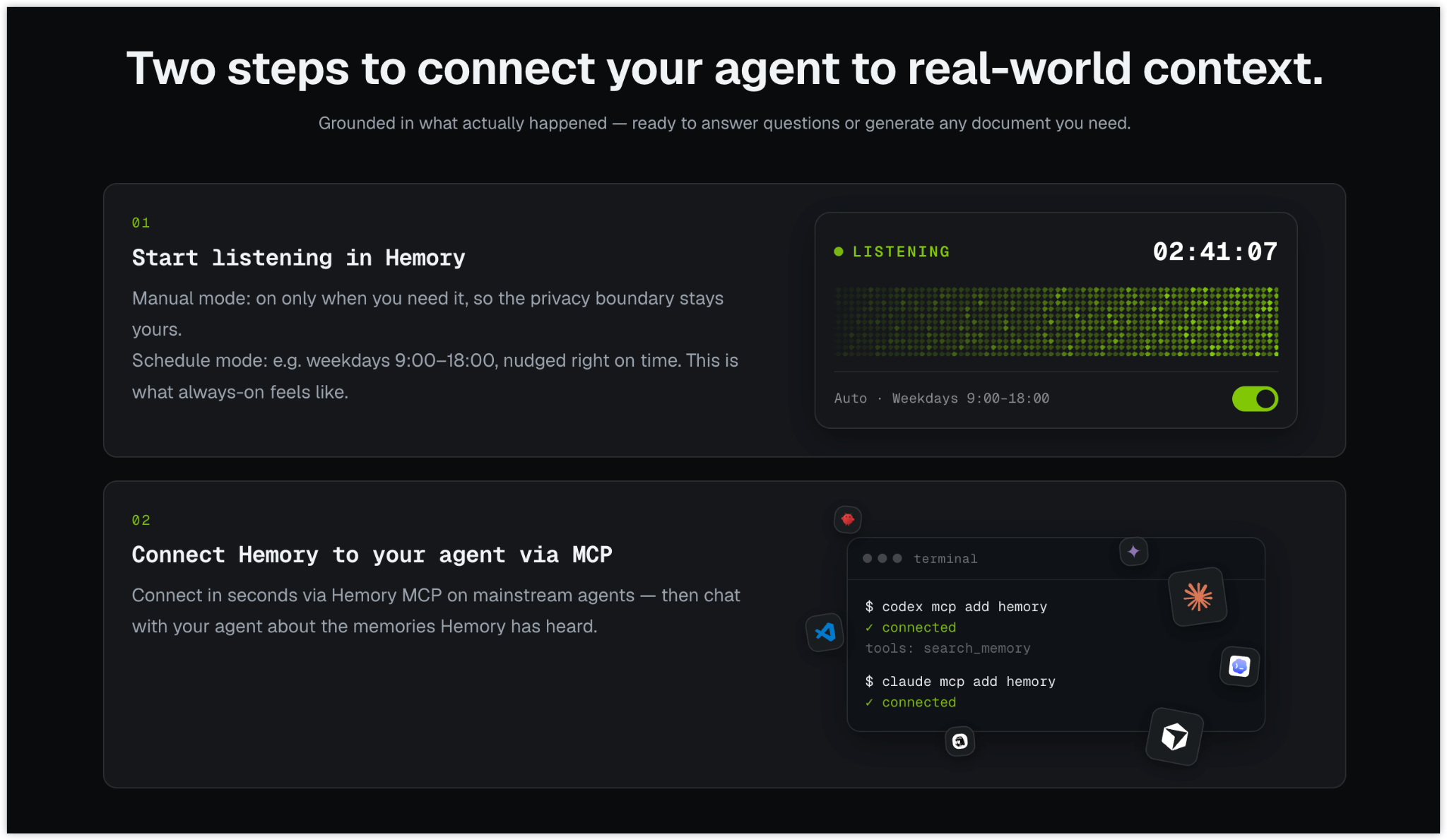
Connect an AI agent to Hemory through MCP.
Interpret the result cautiously:
- If a listed client works and the unlisted one does not, that makes a client-specific limitation or difference worth investigating. It still does not isolate the cause; the clients may differ in connection setup, exposed tools, or access.
- If neither works, you have not established that both clients are incompatible. The issue could be shared setup, access, or another unresolved factor.
- If tools appear but a known relevant discussion cannot be found, separate tool visibility from data retrieval. Check whether the discussion was captured and whether it is accessible through the route you are testing.
This comparison helps you decide what to ask about next. It is not a substitute for client-specific troubleshooting documentation, which is not available for every MCP client.
What to conclude—and what to leave open
Use language that matches the evidence. “No Hemory tools are visible in this client” is an observation. “This client may not expose the connection as expected” is a possibility. “The client is incompatible” is a stronger conclusion and needs more than one unclear result.
If the client is not publicly listed, its compatibility remains unconfirmed unless Hemory or the client provides current supporting information. If the client is listed but you see a problem, the listing still does not establish that your particular connection is configured or behaving correctly.
If you need help from support, describe what you observed: the client name, whether any Hemory tools appeared, what kind of request you tried, and whether the relevant conversation was captured. Avoid sharing sensitive conversation content unless you have confirmed it is appropriate to do so.
FAQ
Does an empty retrieval result mean the MCP connection is broken?
No. The conversation may not have been captured, may not be accessible through that connection, or may not match the request. An empty result alone cannot distinguish those possibilities from a connection issue.
If a client supports MCP, should it work with Hemory?
Not necessarily. MCP support in general does not confirm compatibility with every server or guarantee that each client exposes the same tools and behavior. Check Hemory’s current official information for the client you plan to use.
Why compare with a publicly listed client?
A listed client gives you a useful reference point. If outcomes differ, that narrows what you may need to investigate, but it does not prove the unlisted client is the cause or identify a specific setup fault.
Next step
Check Hemory’s current MCP information and, if needed, compare the unlisted client with a publicly listed one. Keep the conclusion proportional to what you observed: tool visibility, retrieval, and access to captured conversations are separate clues, not interchangeable proof of compatibility.