

 Hemory Team
On this page
A spoken thought can be easy to capture and just as easy to lose if you cannot find it later. “Voice note” can mean an audio recording, a written transcript, a summary, or several of these together. Knowing which record a tool keeps—and how you can return to it—helps you choose a routine that fits the thought.
TL;DR
- Audio preserves a recording of the sound; transcription turns speech into text; a summary condenses selected information. These are different records, and a tool may provide one or more of them.
- In Hemory, a user-started listening session produces a timestamped transcript. Its Memory can also include a summary shaped by the activity type.
- To make a spoken thought useful later, say what it refers to and why it matters. Then search or ask about captured Memory; a tool cannot retrieve a conversation that was never captured.
- Saying “remind me” in a voice note does not, by itself, mean a reminder or task has been created.
What can a voice note save?
A voice note is a spoken input. What you can revisit afterward depends on how the tool handles that input. The main possibilities are:
| Record | What it keeps | Useful for |
|---|---|---|
| Audio | The captured sound | Listening again to tone, wording, or a passage, if playback is available |
| Transcript | Speech rendered as text | Skimming, searching, and locating a particular remark |
| Summary or structured Memory | A shorter account of the content, sometimes organized by topic or activity | Recalling the main point without reviewing every spoken word |
One record does not guarantee another. A transcript is not the original audio, and a summary is not a verbatim account. Transcripts and summaries can also contain omissions or errors, so review the underlying passage when exact wording matters and it is available.
What does Hemory keep from a listening session?
Hemory listening is user-controlled: the user starts and stops listening. Each session produces a timestamped transcript with Speaker labels and AI cleanup. Hemory also organizes daily content by activity type and creates summaries suited to that type. A meeting may receive structured notes, while a lighter activity may receive a brief summary; not every spoken note becomes a formal meeting record.

Find individual statements in a searchable transcript.
Audio and Memory are separate. Hemory describes audio as processed as a stream, with raw audio stored only on the listening device and not synced across devices. This statement is about audio; it does not mean that transcripts, Memory, or all data are stored or processed in the same way.
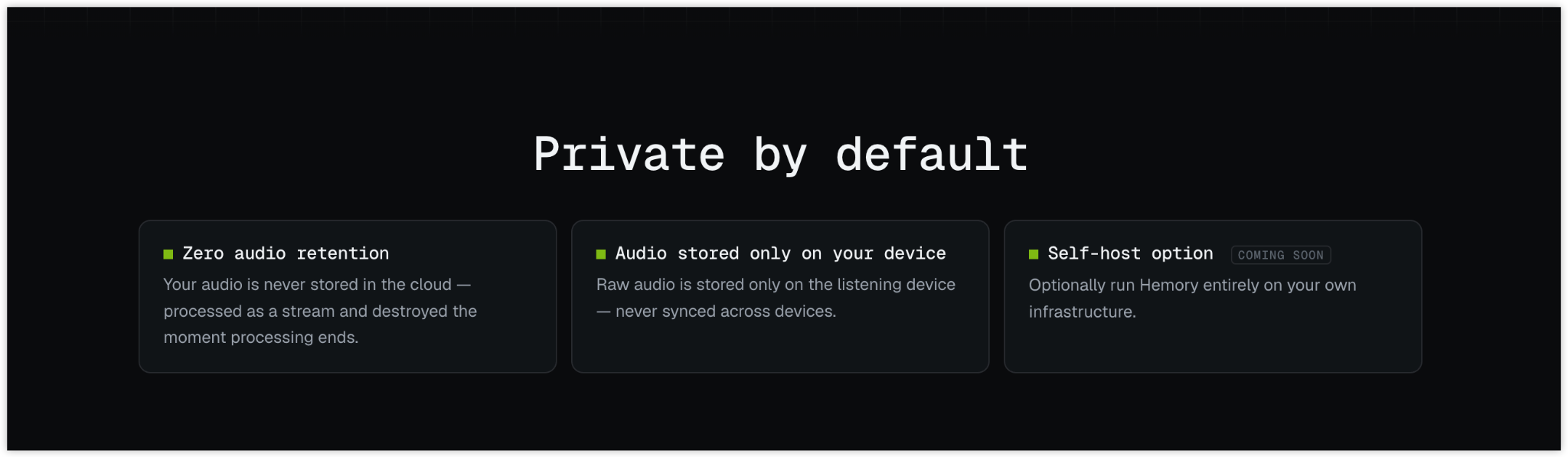
Privacy cards present claims about audio storage and retention.
The transcript and organized Memory provide material to revisit. Hemory’s built-in Q&A can answer questions about a user’s Memory, including follow-up questions grounded in transcripts across past sessions. That can reduce the need to remember exactly which discussion contained a detail or to write a full recap immediately. It cannot recover a thought or conversation that was never captured.
How to make quick voice notes useful later
You do not need to narrate every passing thought at length. A little context can make a short note much easier to understand afterward:
- Name the subject. Say what the thought refers to: a project, customer, document, or conversation.
- State the point. Explain the idea, question, or concern in a sentence or two.
- Add why it matters. Mention a condition or reason that could change how you interpret it later.
- Stop listening when you are done. With user-controlled listening, end the session rather than assuming it stops on its own.
- Return with a focused question. Ask about a detail or idea in the captured Memory. If the result is unclear, add a useful clue or consult another source.
For example, “For the onboarding draft, the example should include the access restriction we discussed, because it changes which training steps are possible” gives a later reader more to work with than “onboarding example.” It preserves the subject, point, and reason without requiring a polished memo.
For a simple reminder, use a reminder or task tool that actually creates one. A spoken note may preserve what you said, but that is not the same as scheduling an alert or assigning a task.
A simple routine to start with
Try capturing one kind of thought that you often lose: a work remark, a question to revisit, or an idea that arrives while you are doing something else. Speak enough context to recognize it later, then stop listening. When you need it, search or ask about the subject and check the returned context before relying on it for a consequential decision.
The goal is not to turn every thought into an action or to produce a perfect record. It is to make useful spoken details easier to return to, while leaving you free to stay engaged in the moment.
FAQ
Does Hemory keep a replayable audio file in the cloud?
Hemory describes raw audio as stored only on the listening device and not synced across devices. Do not assume there is a cloud audio archive; transcripts and organized Memory are separate records.
Can I search for a voice note later?
You can ask Hemory’s built-in Q&A about your captured Memory, including transcript-based questions across past sessions. The note or conversation must have been captured and accessible; an uncaptured thought cannot be retrieved.
Does speaking a reminder create an alert?
The supplied product information does not establish that a spoken note creates a reminder or task. Use a tool that explicitly supports creating the alert or task you need.