

Hemory turns meeting conversations into clear notes and action items, so you can see what to do next. It keeps tasks connected to the requirements, deadlines, and decisions discussed in the meeting, making it easier to follow through.
TL;DR
- Hemory helps organize meeting conversations into action items, so you can focus on the discussion instead of writing down every task.
- Your to-do list brings together the tasks, owners, and timing discussed in the meeting.
- The conversation stays searchable when you need the requirements or decisions behind a task.
From meeting conversations to a to-do list
To turn a meeting into a useful to-do list, identify the agreed actions, note who is responsible, and capture any stated deadlines or dependencies. Keep decisions and tentative ideas separate, and confirm any missing details.
Here’s an example from a planning meeting with a client on Tuesday, October 13:
- Alex: “I’ll send Maya the revised proposal by Thursday. I’ll include both rollout options.”
- Priya: “I’ll check the implementation estimate with engineering tomorrow.”
- Sam: “I’ll prepare the demo after Maya approves the proposal.”
- Maya: “Let’s start with the smaller pilot. We could look at a webinar later.”
These commitments can be organized into the following action items:
| Task | Owner | Deadline or dependency | Details |
|---|---|---|---|
| Send Maya the revised proposal | Alex | October 15 | Include both rollout options |
| Check the implementation estimate with engineering | Priya | October 14 | Confirm the estimate discussed |
| Prepare the demo | Sam | After Maya approves the proposal | No deadline stated |
Alex can see the deadline and what the proposal needs to include. Sam can see that the demo depends on approval. The choice of a smaller pilot is a decision to record, while the webinar remains an idea for later. Keeping these distinctions makes the list useful for planning the work.
How Hemory helps you create a meeting to-do list
Hemory is a personal memory tool that records real-life conversations, automatically transcribes and summarizes them, and can organize meeting content into notes, decisions, and action items.
Capture the conversation with less effort
During a meeting, you can focus on the conversation instead of trying to capture every action item yourself. Hemory records what’s said and helps organize those commitments into a to-do list afterward, so you can stay engaged in the discussion and review the next steps when the meeting ends.
You can start listening manually when needed or set reminders to begin during your working hours. The Max subscription includes unlimited listening time, so you can choose all-day coverage and capture conversations beyond scheduled meetings too.
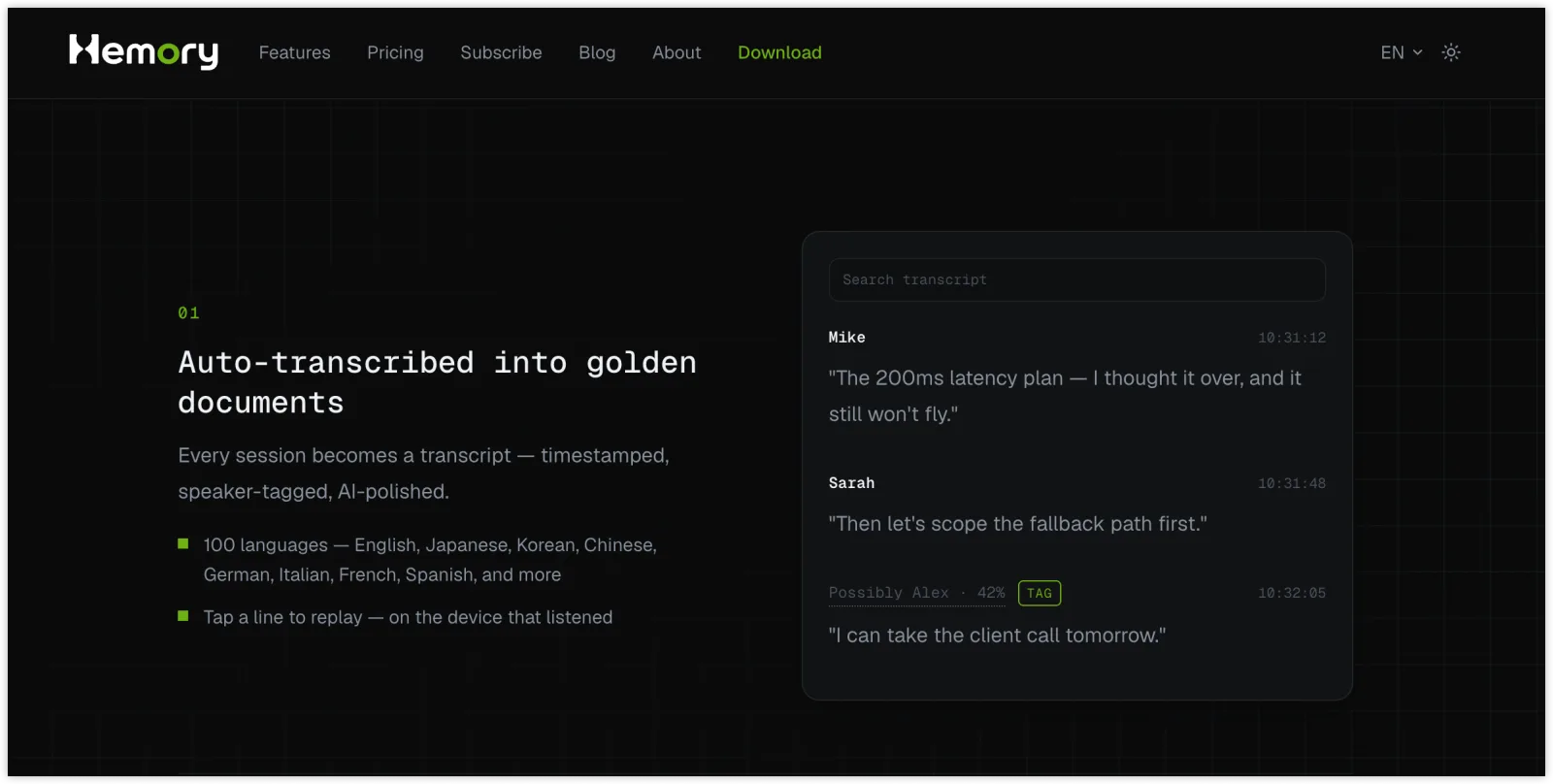
Hemory’s searchable conversation transcripts
Turn spoken commitments into clear tasks
“I’ll send Maya the revised proposal by Thursday” already contains the information for a useful task: what needs to happen, who is responsible, who should receive it, and when it is due.
Hemory can extract these commitments from the meeting and organize them into clear action items. You can see the next steps without rereading the full transcript and writing out each task yourself.
Keep the details you need to complete the work
A useful to-do list also includes requirements and dependencies. Alex’s proposal needs to include both rollout options, while Sam’s demo depends on Maya approving the proposal.
Hemory can organize these details alongside the tasks, helping you understand both what to do and what the work requires. If a task has no assigned owner or deadline, confirm those details with the people involved.
Follow through on tasks with Hemory
A to-do list gives you a starting point. The conversation behind it remains useful as you write, make decisions, and follow up. Hemory keeps that context searchable, so the details are available when the work calls for them.
Find the details before you start
Alex’s task is to send a revised proposal. Before writing it, Alex can ask Hemory: “What did we agree to include in the proposal for Maya?” The recorded discussion provides the requirements behind the short task description.
That is useful whenever a task depends on a client request, a product decision, or a constraint discussed in the meeting. You can retrieve the specific information you need without reading the entire conversation again.
Check what changed in a later conversation
Suppose Maya adjusts the pilot scope in a later conversation that you also record. You can retrieve what was agreed in that follow-up and use the new requirements when revising the proposal.
The task can stay concise while the decisions and history remain available. When plans change, you have the context to understand what needs to change in your work.
Prepare for the next follow-up
Before speaking with Maya again, Alex can ask: “What did I promise Maya in our last planning meeting?” Reviewing those commitments helps Alex prepare an update and identify what still needs discussion.
You can also focus on your own responsibilities when several people contributed to a meeting. A list of your own action items helps you see which commitments need your attention.
Bring meeting context into your AI assistant
Hemory connects your recorded conversations to AI assistants such as Claude, ChatGPT, and OpenAI Codex, so you can use meeting context in the tools you already work with.
Hemory is now available in ChatGPT. Once connected, you can ask ChatGPT to retrieve details from your recorded conversations and use them to prepare your next steps—for example, finding Maya’s proposal requirements and drafting a follow-up email based on what was agreed.
Hemory keeps the meeting context accessible, while your connected AI assistant helps you put it to use.
FAQs
Can Hemory generate a to-do list from a meeting?
Yes. Hemory can organize recorded meeting content into action items, including the owners and deadlines stated in the conversation. Review the list and confirm any missing details before using it to plan your work.
Can Hemory show only my action items?
Yes. You can ask Hemory to focus on your commitments in a recorded meeting, along with the deadlines and relevant details. This is useful when the meeting includes tasks for several people.
Does the to-do list include owners and deadlines?
Hemory can include owners and deadlines stated in the conversation, along with dependencies such as “after the proposal is approved.” If an owner or deadline was not agreed, confirm it with the people involved.
Can I return to the original discussion?
Yes. The conversation remains available in Hemory, so you can search or ask about the requirements, decisions, and context behind a task whenever you need them.
Get your next to-do list from the conversation
Turn your next meeting into a clear to-do list with Hemory, and keep the conversation handy when you need to check the details.