

 Hemory Team
On this page
When you switch AI assistants, you may have to explain the same project, decisions, and people all over again. Pasting a long history into every chat takes effort—and you may leave out a detail that changes the answer. A more practical approach is to give each task a concise goal and let a supported connected agent retrieve relevant background from conversations you have already captured in Hemory. You still add what has changed and review the result.
TL;DR
- Treat past conversations as a source of project context, not as a brief you must rewrite for every assistant.
- Start with the task and current goal. If the connected agent can access relevant Hemory Memory, let it retrieve what may help.
- Add new information that is not in the captured discussions, then review important details and the final output.
- This works only for conversations that were captured and are accessible through the connection. It does not merge assistants’ private chat histories or guarantee that every relevant detail will be found.
Use a reusable source, not a shared chat history
Each AI assistant may have its own conversation history and context. Connecting an agent to Hemory gives it a way to retrieve relevant real-world conversation context that was captured there; it does not transfer one assistant’s private chats, internal memory, tools, or execution state to another.
That distinction matters. You are not creating one continuous conversation across assistants. You are giving a supported connected agent access to a source of captured discussions it can use for the task at hand. Hemory organizes and makes that context available; the external agent does its own retrieval, reasoning, and drafting.
Hemory’s built-in Q&A Agent also supports multi-turn, transcript-based questions and retrieval across conversation sessions. For work inside another AI client, use a supported connection and confirm that the client is set up with access to the relevant Memory. Connection steps, available tools, and permissions can vary by client. A listed integration is not proof that every setup has the same access.
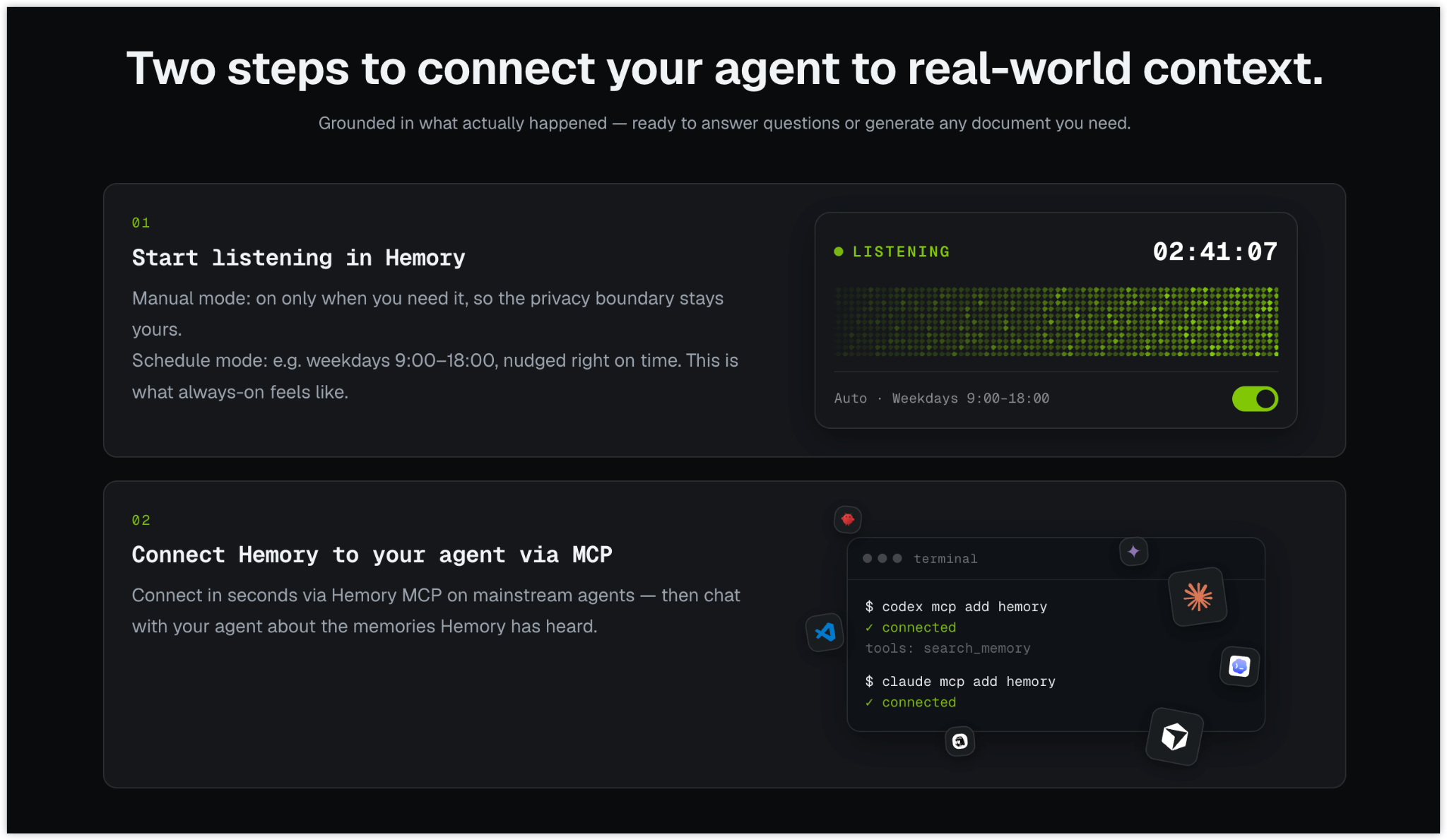
Connect an AI agent to Hemory through MCP.
A repeatable way to start each task
1. Begin with the work you need done
State the task, intended audience, and useful output. Give the agent enough direction to search for relevant context; you do not need to reconstruct the full project history first.
For example:
Draft a short status update for the product team. Use relevant conversations about the launch plan, decisions, and open issues. Focus on what has changed since the last update. I’ll provide the latest metrics and review the draft before sharing it.
This sets a boundary: the agent can look for relevant captured background, while you supply current information that may not be in those conversations. If you already know which meeting or discussion matters, include that clue. If you do not remember the exact date or wording, describe the project or subject as best you can and let the results help refine your recollection.
2. Let the connected agent retrieve relevant background
When the relevant discussions were captured in Hemory and are within the connected agent’s access, ask it to retrieve context for the task. It may find useful details you did not think to include, such as a constraint or earlier decision. That can reduce the need to search through notes, summarize several discussions, and paste them into a new chat yourself.

Retrieve past commitments and draft follow-up tasks.
Retrieval is not a completeness guarantee. A conversation may never have been captured, may not be accessible through the connection, or may not appear in the results. If the answer depends on a specific record, ask for the supporting discussion or check the relevant material directly when available.
3. Add what has changed or exists elsewhere
Captured conversations are historical context, not necessarily the current state. Supply new instructions, recent metrics, updated dates, or documents the agent cannot access through its connection. If a key fact has no usable record, check another source or ask a focused question rather than treating the missing detail as settled.
Keep this addition selective. The aim is not to paste the entire background again; it is to add the current information that could change the answer.
4. Review consequential details before using the output
Check facts that affect a decision or the next action: what was agreed, who accepted an action, any conditions or deadline, and whether the status has changed. A person mentioned in a discussion is not automatically the task owner, and an earlier commitment does not establish that the work is complete.
You do not need to audit every sentence against every transcript. Focus on details whose errors would change what you do. Correct the draft where needed, and make sure the final output includes any current facts the agent could not retrieve.
What still belongs in the current prompt?
Use the prompt for information that defines this particular task, especially:
- The goal: What should the agent produce or help you decide?
- The audience and format: Who will use the output, and should it be a short update, a detailed brief, or something else?
- What is current: New decisions, status, figures, constraints, or instructions not already captured.
- The boundaries: What to include, what to leave out, and what needs review before use.
You generally do not need to retell background the agent can retrieve from accessible captured conversations. But if the task is simple, the relevant context is already in the current chat, or you have one short note ready, supplying it directly may be easier than connecting another tool.
When this approach will not remove the repetition
A connected agent cannot retrieve an exchange that was never captured in Hemory. It may also lack access to a relevant record, depending on the connection and its permissions. If retrieval does not produce the detail you need, consult another available source or ask someone with the information. Do not assume that a missing result proves the discussion never happened.
Hemory also does not automatically wake an agent, monitor every project for changes, or guarantee that the agent has found every omission. You start the task, the agent works with context it can access, and you remain responsible for reviewing its output. When you move to another assistant, that assistant needs its own supported connection to access Hemory; it does not inherit the first assistant’s private chat history.
FAQ
Do I need to summarize every conversation before using an AI agent?
No. If a supported connected agent can access the relevant conversations already captured in Hemory, start with the task and let it retrieve context. Add current information or materials it cannot access, then review the result.
Does Hemory sync context between my AI assistants?
It can provide a shared source of captured conversation context to supported connected agents. It does not sync their private chats, internal memories, tools, or work state, and access depends on each client’s setup and permissions.
What if the agent misses an important detail?
Check whether the relevant discussion was captured and accessible, then try a more specific search clue or consult another source. A missed result does not prove the detail was never recorded. Review and correct any output that depends on it.
Start with the next task
For your next request, give the connected agent the outcome you need and the current information that could change it. Let it retrieve relevant captured discussions instead of making you retell the entire project. Then review the consequential details before you rely on the draft.