 Hemory Team
On this page
Weeks after a release review, someone asks why a feature was delayed. You remember the decision, but the task list says little about the trade-off behind it. A decision log records the choice, its reason, who confirmed it, and where to find the supporting discussion.
Use the template below to keep that record concise. Hemory can help you revisit captured discussions when filling out an entry or answering a question later, so you can participate in the meeting without trying to anticipate every detail you might need again.
TL;DR
- Start with a short entry: decision, status, confirmation, reason, and source.
- Record the trade-off behind the decision and link to the fuller discussion.
- Keep proposals visible as proposals until someone with decision authority confirms them.
- Link replacement decisions to their predecessors, preserving the original reasoning.
- Hemory helps you revisit recorded discussions when a later question needs more context than your decision log contains.
Copy this decision log template
Keep this log in your document or spreadsheet, and copy the blank row for each new decision. Leave the confirmation fields empty while an item is proposed.
| ID | Decision or proposal | Status | Date confirmed | Confirmed by | Reason | Source |
|---|---|---|---|---|---|---|
| DEC-___ | Proposed / Agreed / Superseded / Withdrawn |
These seven fields are a practical starting point. Add the following only when they help someone understand or revisit the choice:
| Optional field | When to use it |
|---|---|
| Date raised | A proposal may remain open across several discussions |
| Alternatives considered | The rejected options explain an important trade-off |
| Review condition | New evidence could change the decision |
| Related action | The decision creates work tracked elsewhere |
| Replaces / Replaced by | A later decision changes an earlier agreement |
For a document-based log, this entry format is easier to read than a wide table:
Decision ID:
Decision or proposal:
Status:
Date confirmed:
Confirmed by:
Reason:
Source:

Optional:
Alternatives considered:
Review condition:
Related action:
Replaces / Replaced by:
Use the date the choice was confirmed, even if you write the entry later. “Confirmed by” identifies the person or group authorized to make the decision. Record the person doing the resulting work under “Related action” or in your task system.
Decision log, meeting notes, or action list?
A decision log follows choices across meetings. Meeting notes preserve the broader discussion, while an action list tracks the work people have committed to do.
| Record | Main question it answers | Example |
|---|---|---|
| Meeting notes | What did we discuss? | Export failures and options for the next release |
| Decision log | What did we choose, and why? | Defer bulk export because some customers could receive incomplete files |
| Action list | Who will do what next? | Owen prepares the fix and test results |
Link these records where useful. Repeating the entire meeting transcript in the log makes the actual choice harder to find. For actions that come out of a discussion, see how Hemory turns meeting conversations into a to-do list.
Decision log example: delaying a feature release
Consider a release review on October 19, 2026. Nina, the product lead, is deciding what to include in the release:
Owen: “Bulk export still fails on accounts with more than 10,000 records. The fix needs another round of testing.”
Leo: “Could we release it with a warning about large exports?”
Nina: “No. Customers could end up with incomplete files. We’ll leave bulk export out of this release and keep single-record export available.”
Owen: “I’ll prepare the fix and test results for review.”
Nina: “Let’s reconsider once the large-account tests pass. We haven’t agreed on a new release date.”
Here is the completed entry:
| Field | Example |
|---|---|
| Decision ID | DEC-014 |
| Decision | Exclude bulk export from the current release; retain single-record export |
| Status | Agreed |
| Date confirmed | October 19, 2026 |
| Confirmed by | Nina, product lead |
| Reason | Bulk export can produce incomplete files for accounts with more than 10,000 records |
| Source | October 19 release review, exchange about bulk export failures |
| Alternatives considered | Release with a warning; rejected because customers could receive incomplete files |
| Review condition | Large-account tests pass |
| Related action | Owen prepares the fix and test results; deadline not agreed |
The entry preserves the reason for the delay and the condition for reconsidering it. “Export canceled” would lose both. Passing the tests triggers a review; it does not automatically approve the feature or establish a delivery date.
How to write a useful decision entry
Write the choice as an outcome. “Discussed export issues” names a topic. “Exclude bulk export from this release” tells the reader what the team will do.
Explain what drove the decision. State why this option worked in the circumstances: a delivery date, an unresolved technical risk, a customer requirement, or a resource limit. A short, specific reason is more useful than a long recap.
Make confirmation visible. Use “Proposed” while the team is considering an option, and “Agreed” after the appropriate person or group confirms it. An open question can stay in meeting notes until there is a concrete proposal to track.
Make the source findable. Include the meeting or document name, date, and relevant section or timestamp when available. Link to the relevant discussion or document so the next reader can open it directly.
Match the level of detail to the consequences. A customer commitment deserves a fuller record than a routine scheduling choice.
Use Hemory when a new question goes beyond the log
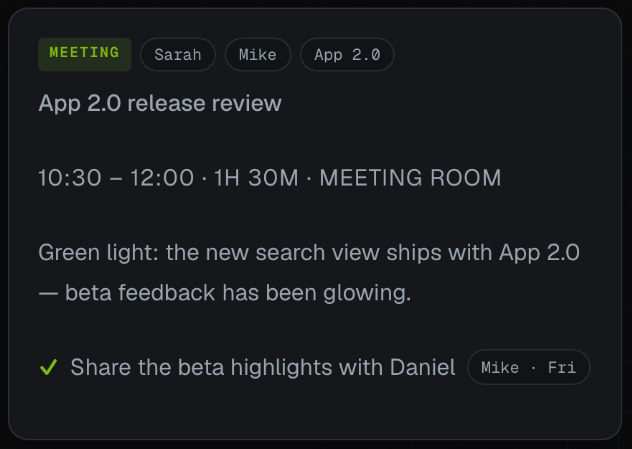
In a busy review, you may be weighing options, answering questions, and trying to remember which details to write down. Hemory can capture and organize the discussion so you have material to return to after you have written the short decision entry.
Now suppose that, six weeks later, a customer with a large account asks whether they can export a small filtered selection. The log explains the earlier delay, but it does not establish whether the failure depends on total account size or the number of records in a single export. You need the testing context before discussing an exception.
If you recorded the review in Hemory, use its conversation search and built-in Q&A to investigate that specific question:
Find the release discussion where we deferred bulk export.
Did engineering test small filtered exports from large accounts, or only
full-account exports? Show what was said about the test coverage and gaps.
The relevant exchange might read: “The failing tests used full-account exports. We haven’t run the filtered-export cases on large accounts yet.” That detail did not make it into the short log entry. Retrieving it helps you separate a known failure from a use case that still needs testing.
| What you recover | How it helps the next decision |
|---|---|
| The observed failures occurred in full-account export tests | You can describe the evidence behind the original decision accurately |
| Filtered exports from large accounts were not tested | You can request a targeted test before discussing an exception |
Review the retrieved exchange before acting. An unassessed option still needs investigation; the earlier deferral does not settle the new request. Keep the outcome of that investigation in a new log entry once it is agreed.
You now have a specific next step: ask engineering to test filtered exports for the customer’s account size. The discussion helps you frame that request without guessing or asking colleagues to reconstruct the meeting. This is where searchable conversation memory complements a decision log.
Update decisions without erasing their history
Suppose the required tests later pass and Nina approves bulk export for a subsequent release. Create DEC-021 with the new scope, confirmation date, and test evidence. Link it to DEC-014, then mark DEC-014 superseded.
| Entry | Status | Relationship |
|---|---|---|
| DEC-014: Defer bulk export pending validation | Superseded | Replaced by DEC-021 |
| DEC-021: Approve bulk export for the specified release | Agreed | Replaces DEC-014 |
Keep a filtered view of current agreements for daily work. Preserve the earlier entries so someone investigating an old plan can understand the information available when it was made.
Use the same status rules throughout the log:
| Status | When to use it | What to keep visible |
|---|---|---|
| Proposed | A defined option is awaiting a decision | The option and source; confirmation fields remain blank |
| Agreed | The authorized person or group has confirmed the choice | Who confirmed it, when, and the reason |
| Superseded | A later agreement replaces the earlier choice | The original entry and the replacement ID |
| Withdrawn | A proposal or agreement is explicitly dropped without replacement | When it was withdrawn, why, and who confirmed that change |
If a decision remains valid, leave it “Agreed” after its related tasks are finished. Task completion and decision status answer different questions. Preserve the original confirmation date when changing a status, and add the later change to the entry’s history.
Start with your next decision-making discussion
Choose a review where the reasons behind the decision will matter later. With participants aware and comfortable with recording, start recording in Hemory, then use the template to record the agreed outcome. When a follow-up question arrives, return to the saved discussion and ask about the specific constraint or alternative you need to understand. That gives you a practical way to see whether keeping the conversation reduces the work of explaining earlier choices.
Frequently asked questions
Which decisions belong in a decision log?
Include choices whose reasoning could affect later work: scope, technical trade-offs, customer commitments, budget limits, and exceptions. Routine coordination can stay in meeting notes when a separate record would add little value.
What should I record before a decision is approved?
Record the proposal, its status, supporting context, and source. Leave “Date confirmed” and “Confirmed by” blank. If needed, add a separate “Decision needed from” field to identify who must resolve it.
Can AI draft a decision log from a meeting?
AI can help extract candidate entries from the discussion. Review the choice, reasoning, and confirmation against the source before treating the entry as agreed. Missing reasons or authority should remain open for clarification.
How often should I review the log?
Review the relevant entries when their conditions change, such as a revised customer deadline or new test results. For active projects, include pending decisions in an existing planning review so they do not disappear between meetings.